Your email address has become one of the most valuable pieces of information you own. It connects you to everything from your bank account to your social media profiles. But here's the problem: websites constantly demand your email address, even for the smallest interactions.
Want to download a free template? Give us your email. Need to access WiFi at a coffee shop? Email required. Interested in reading that article behind the paywall? You guessed it—email address, please.
The result is predictable. Your inbox fills with promotional messages, newsletters you never asked for, and spam that seems to multiply overnight. Worse, your email address gets shared, sold, and passed around to companies you have never heard of.
This is where disposable email addresses come in. They offer a practical solution to a growing problem, giving you control over who has access to your real inbox. If you have ever wondered what disposable email is, how it works, or whether it might be useful for you, this guide will walk you through everything you need to know.
A disposable email address, also known as temporary email or temp mail, is exactly what it sounds like: an email address designed for short-term use. Unlike your permanent email account that you check daily, a disposable email address exists briefly, receives messages, and then disappears.
Think of it like using a burner phone in movies. You use it for a specific purpose, then discard it when you are done. No commitment, no long-term relationship, no consequences.
These addresses function just like regular email. They can receive messages, verification codes, attachments, and links. The difference is in what happens afterward. Most disposable email services automatically delete messages after a set period—usually anywhere from a few minutes to 24 hours. Once that time expires, both the email address and all its messages vanish completely.
The concept is not new, but it has become increasingly relevant as our online lives grow more complex. People go by many names for this service: throwaway email, burner email, fake email, or temporary inbox. They all refer to the same basic idea—an email address you can use and then forget.
What makes disposable email particularly useful is that it requires no setup. You do not create an account, set a password, or provide any personal information. You simply visit a service like Mail On Deck, and an email address appears instantly, ready to use.
The technology behind disposable email is straightforward, though the execution requires careful infrastructure. Understanding how it works helps you use it more effectively and know what to expect.
When you visit a temp mail service, the system generates a random email address for you. This address is created using an algorithm that ensures uniqueness—no two users will ever get the same address at the same time. The address typically consists of random characters followed by a domain name owned by the service.
This email address is immediately active. It can receive messages from any source, just like your regular email. Behind the scenes, the service operates mail servers configured to accept incoming messages for any address on their domains. When an email arrives, the system processes it and makes it available in your browser.
Here is where disposable email differs from traditional email: there is no authentication. You do not log in. There is no password. Anyone who knows the exact email address could theoretically access it, which is why you should never use disposable email for sensitive information.
The messages you receive appear in real-time on the service's website. You can read them, click links, and download attachments. Everything works like a normal inbox, just without the permanence.
After a set period, the system automatically deletes everything. The email address stops functioning, and all messages are permanently removed from the servers. Most services do not keep backups or archives. When the data is deleted, it is truly gone.
This temporary nature is what makes the service valuable for privacy. Even if someone wanted to go back and look at old messages, they could not. The evidence simply does not exist anymore.
People turn to disposable email addresses for various reasons, but they all share a common thread: avoiding the long-term consequences of sharing their real email address.
The most obvious reason is spam prevention. When you hand over your email to a website, you have no control over what happens next. Some companies respect your privacy and only send relevant updates. Others bombard you with daily promotional emails. Still others sell your address to third parties, and suddenly you are receiving messages from dozens of companies you never contacted.
Temporary email breaks this cycle. You provide the disposable address, receive whatever you needed, and walk away. Even if that address gets added to spam lists or sold to marketers, it does not matter. The address will be gone in hours, and those spam messages will have nowhere to go.
Privacy protection is another major driver. Every time you share your real email address, you create a connection between your online activity and your identity. Marketing companies build profiles based on your email address, tracking which websites you visit, what you download, and what interests you express. Using a disposable email severs that connection. The temporary address cannot be linked back to you because you never provided any identifying information.
Convenience plays a role too. Sometimes you just want quick access to something without the commitment of creating a real account. Maybe you need to download a file, view protected content, or register for a one-time event. Creating a proper email account and going through verification feels like overkill. A disposable email gives you instant access without the overhead.
Testing and development represent another common use case. Software developers and quality assurance professionals need to test email functionality constantly. They verify registration systems, test password reset flows, and check that notification emails work correctly. Creating real email accounts for every test clutters inboxes and wastes time. Disposable email provides unlimited test addresses with zero administrative burden.
Some people use temporary email to maintain anonymity. Online forums, discussion boards, and community websites often require email verification, but not everyone wants to link their real identity to their online persona. A disposable address allows participation without revealing who you are.
Despite being a straightforward service, disposable email generates several misconceptions that are worth addressing.
The first misconception is that disposable email is primarily for doing something shady. While it is true that some people might use temporary email for questionable purposes, the vast majority of users have legitimate needs. Protecting your privacy from aggressive marketers is not suspicious—it is sensible. Avoiding spam is not dishonest—it is self-defense against companies that abuse email access.
Another misconception is that temporary email is completely anonymous and untraceable. This is not quite accurate. While good temp mail services like Mail On Deck do not log IP addresses or track users, the service itself can still be identified. If you use a disposable email to register somewhere, that website knows you used a temporary address. They might not know who you are personally, but they know the email is temporary.
Some people believe disposable email addresses are unreliable or slow. This might have been true years ago when the technology was newer, but modern services deliver messages almost instantly. A properly configured temp mail service like Mail On Deck receives and displays emails within seconds, making the experience indistinguishable from regular email in terms of speed.
There is also a belief that all disposable email services are the same. In reality, they vary significantly in privacy practices, reliability, features, and how long they retain data. Some services log extensive information about users, while others prioritize privacy. Some delete messages after minutes, others after days. Choosing the right service matters.
Finally, some people think temporary email can replace their regular email entirely. This is neither practical nor advisable. Disposable email serves a specific purpose—temporary, non-critical communications. Your regular email remains essential for important accounts, long-term relationships, and anything requiring security and reliability.
Knowing when to use temporary email is just as important as knowing how. Here are situations where disposable email makes perfect sense.
Use disposable email when signing up for anything you are not certain about. If a website seems questionable, you have never heard of the company, or you are simply testing whether the service is worth your time, a temporary address protects your real inbox from potential spam.
Use it for accessing one-time content. Many websites gate content behind email requirements. You want to download a PDF, read a whitepaper, or access a template. You need the content, but you do not need a long-term relationship with that website. Give them a disposable address, get what you need, and move on.
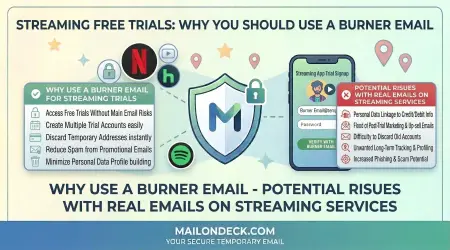
Use it for free trials. Companies offering trials often start sending promotional emails immediately, trying to convert you into a paying customer. If you are genuinely testing the product and want to evaluate it on its own merits, a disposable email keeps the promotional pressure out of your main inbox.
Use it when connecting to public WiFi. Airports, hotels, and coffee shops increasingly require email registration for internet access. You will likely never use that network again, so there is no reason to give them your permanent address. A temporary email gets you online without adding another company to the list that has your information.
Use it for online contests and giveaways, unless you are absolutely certain about the organization running them. Some contests exist primarily to harvest email addresses for marketing purposes. A disposable address lets you participate without risk. If you actually win, you will still receive notification.
Use it when creating multiple accounts for legitimate purposes. Maybe you are managing different projects, testing features, or separating different aspects of your online presence. Temporary email makes it simple to create and verify multiple accounts without the complexity of managing multiple permanent email addresses.
Use it for forum and discussion board registration. If you want to ask one question or participate in a specific discussion, you might not want to commit to that platform long-term. A disposable email lets you contribute without creating a permanent link between your identity and that community.
Just as important as knowing when to use disposable email is understanding when to avoid it. Some situations absolutely require your permanent email address.
Never use temporary email for financial services. Your bank account, credit cards, investment platforms, payment processors—these all require stable, secure email addresses. You need to receive important notifications, security alerts, and account information. Losing access to these messages could have serious financial consequences.
Never use it for government services. Tax filings, benefits programs, official correspondence, license renewals—anything involving government agencies needs your real email. These often involve time-sensitive information and legal documents that you cannot afford to miss.
Never use it for healthcare providers. Medical records, appointment confirmations, prescription information, and health insurance communications are too important to entrust to a temporary address.
Never use it for your primary social media accounts. While you might use temporary email to create a secondary account for specific purposes, your main profiles should be connected to your permanent email. You need reliable access for password resets, security notifications, and account recovery.
Never use it for work or professional email. Your career depends on reliable communication. Using temporary email for anything work-related is asking for trouble.
Never use it for any account where password recovery matters. If you forget your password and the reset link goes to an expired temporary address, you permanently lose access to that account. For anything you might want to access again in the future, use your real email.
Never use it to receive sensitive information. Social security numbers, credit card details, legal documents, personal identification—none of this should ever go to a temporary address. The security model of disposable email is not designed for confidential information.
The general rule is simple: if losing access to the account or information would cause you problems, use your real email address. Save temporary email for situations where the consequences of it disappearing are minimal.
Not all disposable email services are created equal. Choosing the right one matters for both privacy and reliability. Here is what to look for.
Privacy practices should be your first consideration. Does the service log IP addresses? Does it track which emails you receive? Does it collect any personal information? The best services, like Mail On Deck, explicitly state they do not log IP addresses and do not track users. This commitment to privacy should be clearly documented in their privacy policy.
Deletion timeframe is another important factor. Some services delete emails after just a few minutes, which can be too short if you are waiting for a verification email that takes a while to arrive. Others keep messages for days, which might be longer than necessary. A 24-hour window, like Mail On Deck offers, strikes a good balance between usability and privacy.
Reliability matters when you actually need to receive an email. Check whether the service has consistent uptime and fast message delivery. Reading reviews from other users can give you a sense of whether emails arrive promptly or if the service frequently has problems.
User interface quality affects your experience significantly. Is the website cluttered with aggressive advertising? Is the interface confusing? Can you easily copy your temporary address? Can you see incoming messages clearly? A clean, straightforward interface makes the service much more pleasant to use.
Domain reputation is worth considering. Some disposable email domains have been around so long that many websites automatically block them. While no temp mail service can guarantee universal acceptance, established services with good reputations face fewer blocks than newer or less reputable ones.
Additional features might include the ability to manually delete your address before it expires, generate a new address easily, or use QR codes to access the same inbox on multiple devices. These are not essential, but they can be convenient.
Security measures matter too. Does the service use HTTPS to encrypt your connection? This prevents others on the same network from seeing which emails you receive.
Avoid services that require you to create an account or provide personal information. This defeats the entire purpose of using temporary email for privacy. The best services require absolutely nothing from you—you just visit the site and start using it.
To get the most value from temporary email while avoiding potential pitfalls, follow these best practices.
First, understand what you are using it for. Before pasting a disposable address into a signup form, ask yourself whether this is appropriate. Is this just to avoid spam, or will you need access to this account long-term? Make conscious decisions rather than using temp mail out of habit.
Copy the temporary address immediately and keep it somewhere accessible while you are using it. If you navigate away from the service and lose the address, you cannot get it back. While the address remains active, you can return to it if you know exactly what it is.
Check the inbox soon after signing up. Verification emails usually arrive within minutes, but if you wait too long, the address might expire before you see it. Complete whatever action you needed the email for promptly.
Be aware of how long your messages will be retained. If you need to reference something from a temporary email later, save that information elsewhere before it disappears. Take screenshots, copy important details, or download attachments while you still have access.
Do not reuse temporary addresses for multiple purposes. If you are signing up for several different services, generate a fresh temporary address for each one. This prevents mixing up emails and reduces the chance that one service leaking your address affects others.
Remember that temporary email offers privacy from marketers and casual snooping, not security from determined attackers. Do not use it for anything where security truly matters.
If a website rejects your temporary email address, do not try to circumvent their blocks unless you have a legitimate reason. Some websites block disposable email to prevent abuse, and their concerns might be valid. For services where you want a genuine relationship, use your real email.
Keep track of where you used temporary addresses if it matters. You might want a simple note of which disposable address you used for which service, especially if you expect to receive multiple emails over the retention period.
Trust your judgment. If something feels wrong about using temporary email for a particular situation, use your real address instead. The purpose of temp mail is to make your online life easier and more private, not to create problems.
If you are ready to start using disposable email, Mail On Deck makes the process incredibly simple.
Visit mailondeck.com in any web browser. The moment the page loads, a temporary email address is automatically generated and displayed. You do not fill out forms, create passwords, or provide any information. The address is just there, ready to use.
To use this address, simply click the copy button. This puts the entire email address on your clipboard. Now you can paste it anywhere a website asks for your email—signup forms, download pages, newsletter subscriptions, wherever you need it.
Once you have provided the temporary address, wait for the email to arrive. Messages typically appear within seconds. You will see them show up on the Mail On Deck website automatically, without needing to refresh the page. Each email displays just like it would in your regular inbox, with the sender, subject line, and full message content.
You can read the emails, click on links, and download attachments if needed. Everything functions normally. If you receive a verification link, click it. If you receive a confirmation code, copy it and paste it where needed. The temporary inbox works exactly like you would expect an email inbox to work.
When you are finished, you have two options. You can manually delete the email address by clicking the delete button, which immediately removes the address and all messages. Or you can simply close the browser and walk away. After 24 hours, Mail On Deck automatically deletes the address and all associated messages permanently.
If you want to generate a different temporary address, just refresh the page or click the generate new address button. Mail On Deck will create a fresh address for you instantly.
The entire process requires no learning curve and no commitment. You can start protecting your privacy immediately, and you never have to worry about managing another email account.
Disposable email addresses represent a practical solution to one of the internet's most persistent problems: the constant demand for your email address and the spam that inevitably follows. By understanding what temporary email is, how it works, and when to use it, you can take control of your online privacy without sacrificing access to the content and services you want.
The key is using disposable email appropriately. It excels at preventing spam, protecting your privacy during casual interactions, and giving you freedom to explore the internet without leaving a permanent trail. It is not appropriate for important accounts, sensitive information, or anything requiring long-term access.
Services like Mail On Deck have made temporary email more accessible than ever. With no registration, no personal information required, and automatic deletion after 24 hours, the barrier to entry is essentially zero. You can start using it immediately, and you can stop just as easily.
As you navigate the internet, make conscious decisions about when to share your real email and when to use a temporary alternative. Your permanent email address is valuable—protect it by reserving it for relationships and services that genuinely matter. For everything else, there is disposable email.
The internet does not have to know everything about you. With tools like Mail On Deck, you can interact with websites on your own terms, receiving the content and services you want without surrendering control of your inbox. That is not just convenient—it is a fundamental aspect of maintaining your privacy in an increasingly connected world.
Start small. The next time a website asks for your email and you hesitate, wondering whether they will spam you, use a temporary address instead. Experience the freedom of knowing that even if they abuse your trust, your real inbox remains clean. Once you see how well it works, you will wonder how you managed without it.