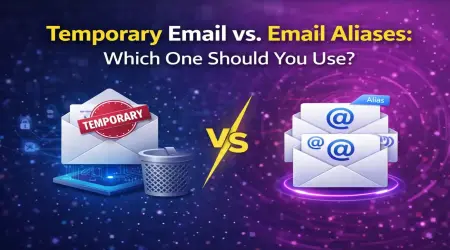
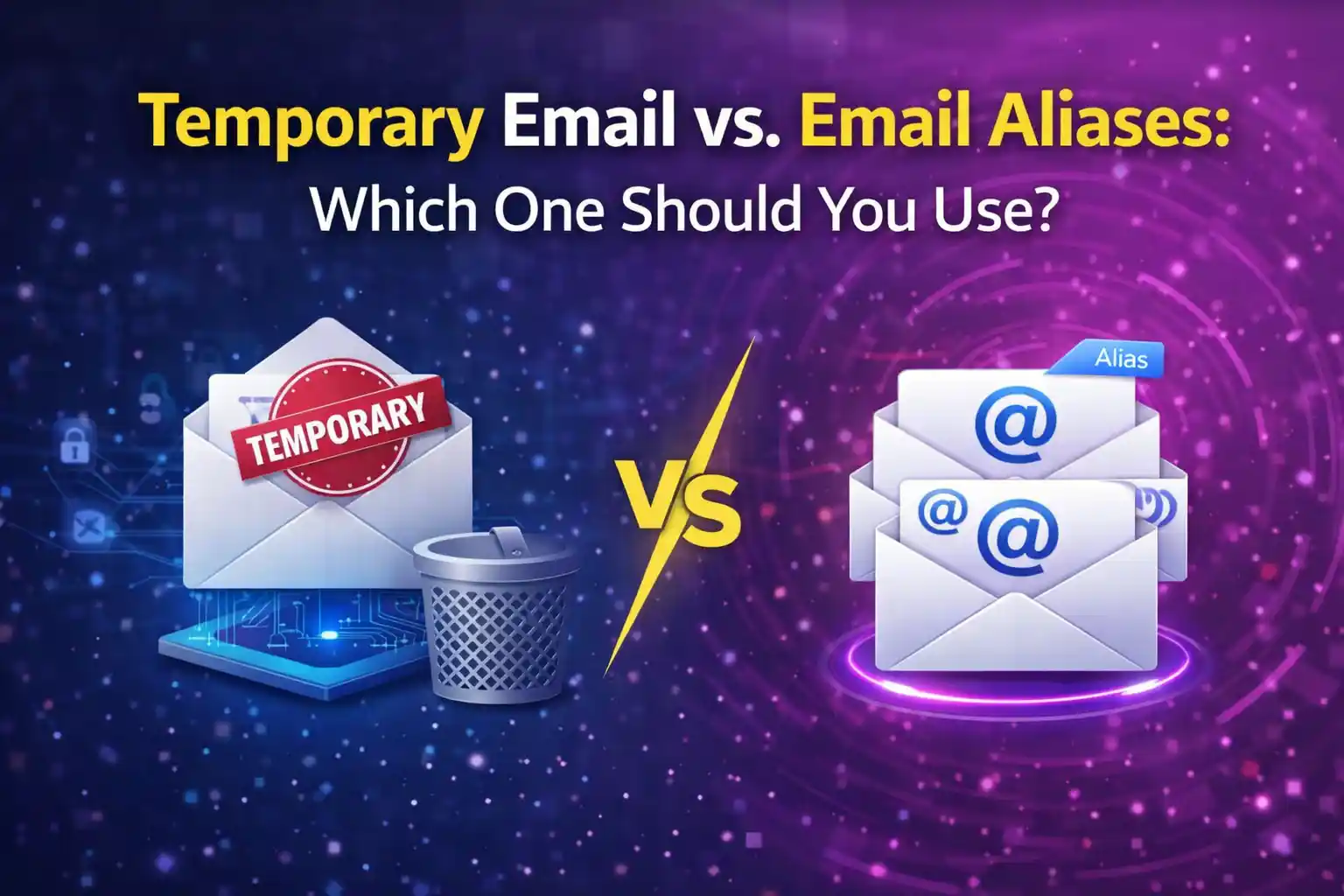
Temporary Email vs. Email Aliases: Which One Should You Use?
Introduction
Email privacy has become a practical concern for anyone who spends time online. The constant demand for email addresses at every website creates a dilemma: provide your real email and accept the spam and tracking that follows, or find alternative approaches that protect your privacy without sacrificing access to online services.
Two popular solutions have emerged for this problem: temporary email addresses and email aliases. Both offer ways to avoid giving out your real email address. Both provide some level of privacy protection. Both allow you to receive messages without exposing your primary inbox. Yet they work quite differently and serve distinct purposes.
Temporary email addresses are disposable. Services like Mail On Deck generate email addresses that exist briefly, receive messages, then disappear automatically. These addresses are completely separate from your permanent email and leave no lasting connection to your identity.
Email aliases are variations of your real email address that all deliver to the same inbox. Instead of creating separate email accounts, you generate different addresses that function as alternative names for your main address. All messages still arrive in your regular inbox, but you can track which alias received each message.
The choice between temporary email and aliases is not always obvious. Each approach has strengths and weaknesses. The right solution depends on your specific situation, privacy requirements, and how you want to manage your email communications.
This guide explains both methods in detail, compares their privacy and security characteristics, and helps you understand when to use each one. By the end, you will have clear criteria for choosing the approach that best fits your needs in any given situation.
What Are Temporary Email Addresses?
Temporary email addresses provide completely disposable email functionality designed for short-term use.
These addresses are generated on demand, typically by visiting a service like Mail On Deck. The moment you access the service, an email address is created and ready to use. You can immediately provide this address to websites, receive messages sent to it, and interact with those messages through the service's interface.
The defining characteristic is impermanence. Temporary email addresses exist for a limited time—often 24 hours—after which they automatically expire. When the address expires, it stops receiving new messages and all existing messages are permanently deleted. The email address becomes completely non-functional and cannot be recovered or restored.
No registration is required to use temporary email services. You do not create an account, set a password, or provide any personal information. Simply visiting the service generates an address you can use immediately. This frictionless approach makes temporary email extremely accessible.
The addresses are truly temporary in every sense. They have no connection to your real email account. They cannot be used to access or reset passwords for your permanent email. If someone obtains the temporary address, they learn nothing about your real identity or primary email address.
Different temporary email services generate addresses using different formats and domains. Mail On Deck creates random addresses at their domain. The specific format does not matter much to users—what matters is that the address works for receiving messages during its active period.
Messages received at temporary addresses are accessible through the service's website. You return to the same page where you got the address, and incoming messages appear automatically. You can read messages, click links, download attachments, and interact with content just like you would with regular email.
The temporary nature provides built-in privacy protection. Since the address disappears after a set time, any spam, marketing emails, or unwanted messages sent to it after expiration simply fail to deliver. The sender might not even realize the address is defunct—they just stop getting through.
Temporary email addresses are ideal for situations where you need an email briefly but have no desire for ongoing communication. Signing up for one-time downloads, accessing gated content, trying services you probably will not keep, or any interaction where permanence is not required.
What Are Email Aliases?
Email aliases are alternative addresses that forward messages to your real email inbox while appearing to be separate addresses.
The concept is similar to having multiple names for yourself. Your legal name might be one thing, but you might go by nicknames in different contexts. Email aliases work the same way—they are different addresses that all refer to the same underlying email account.
Most modern email providers support aliases through various mechanisms. Some use plus addressing, where you add a tag after your username: yourname+shopping@example.com. Others allow creating completely separate addresses that all deliver to the same inbox.
Gmail, for instance, ignores periods in addresses. You can give out your.name@gmail.com, yourname@gmail.com, or y.o.u.r.n.a.m.e@gmail.com and all deliver to the same account. Gmail also supports plus addressing, so yourname+anything@gmail.com works as well.
Custom domain users have the most flexibility. If you own a domain and run your own email, you can create unlimited aliases with any naming scheme you want. shopping@yourdomain.com, bills@yourdomain.com, newsletters@yourdomain.com—all can deliver to the same inbox.
The key characteristic of aliases is that they are permanent and connected to your real email. Unlike temporary addresses that disappear, aliases continue working indefinitely. Messages sent to aliases arrive in your regular inbox alongside messages sent to your primary address.
Aliases help you organize and track email. When you use a different alias for each website or category of service, you can identify who sent you email and who might have leaked or sold your address. If spam starts arriving at shopping@yourdomain.com, you know which retailers are the source.
Setting up filters with aliases enables automatic organization. You can create rules that sort messages by which alias received them, filing shopping emails into one folder, newsletter subscriptions into another, and so on. This organization happens automatically based on the receiving address.
Replying from aliases varies by email provider. Some services automatically reply from whichever alias received the message. Others default to your primary address for replies. Understanding how your provider handles alias replies matters if you want to maintain the alias identity in correspondence.
Aliases provide a middle ground between complete anonymity and full transparency. They offer some privacy benefits by not revealing your primary address, but they are still fundamentally connected to your real email account. Someone who knows one of your aliases could potentially discover your primary address through various means.
The permanent nature of aliases makes them suitable for ongoing relationships. When you want to compartmentalize different types of email but still need long-term access, aliases provide organization without the complexity of managing multiple separate email accounts.
How Temporary Email Works
Understanding the technical implementation of temporary email helps clarify its capabilities and limitations.
When you visit a service like Mail On Deck, the system generates a random email address using an algorithm that ensures uniqueness. This address typically combines random characters with one of the service's domains. The randomization prevents different users from getting the same address simultaneously.
The generated address is immediately active. The service's mail servers are configured to accept messages for any address at their domains. When an email arrives addressed to your temporary address, their servers receive it and make it available through their web interface.
You access messages by returning to the same page where you got the address. The temporary email service displays your specific address and shows all messages received by it. This typically happens through a web interface accessible via your browser.
No authentication is required beyond knowing the address. Anyone who has the exact temporary email address could theoretically access its messages during the active period. This is why temporary email should never be used for sensitive communications—the security model assumes the address is effectively public knowledge.
Messages arrive in near real-time. When someone sends email to your temporary address, the service's servers receive it within seconds or minutes. The message appears in the web interface almost immediately, making the experience similar to checking your regular email.
The expiration mechanism runs automatically. Temporary email services use scheduled processes that identify addresses older than their retention period and permanently delete them along with all associated messages. This deletion is irreversible—once expired, the address and messages cannot be recovered.
Some services allow manual deletion before expiration. If you finish using a temporary address and want to ensure its immediate removal, you can typically delete it manually rather than waiting for automatic expiration.
The technical simplicity of temporary email is part of its strength. There are no accounts to manage, no passwords to remember, no settings to configure. The service handles all complexity behind the scenes, presenting users with a straightforward interface for receiving email temporarily.
Limitations stem from the temporary nature. You cannot send messages from temporary addresses—they are receive-only. You cannot use them for account recovery or password resets since they will expire. You cannot maintain long-term correspondence through them.
The lack of connection between temporary addresses and your real identity provides privacy but also means zero accountability. If you need to prove you control a temporary address or reference old messages after expiration, you cannot. The temporary address exists only for its active window, then ceases to exist entirely.
How Email Aliases Work
Email aliases function through forwarding or virtual addressing mechanisms built into email systems.
Plus addressing, the simplest form, works by having your email provider ignore everything between the plus sign and the @ symbol for delivery purposes. When someone sends email to yourname+shopping@example.com, the mail server delivers it to yourname@example.com while preserving the full receiving address in message headers.
This preservation is key to the utility of plus addressing. Even though messages deliver to your main inbox, you can see which alias received each message. Email clients and filters can then sort or process messages based on the alias.
Catch-all aliases work differently. With a custom domain, you can configure your email server to accept mail for any address at that domain, all delivering to a single mailbox. This means anything@yourdomain.com, everything@yourdomain.com, and random-string@yourdomain.com all work without specific setup.
Dedicated alias systems create actual separate addresses that forward to your primary address. Some email providers offer interfaces where you explicitly create aliases, choosing the alias address and configuring where messages should be delivered. These feel more like separate email addresses even though they ultimately forward to your main account.
The forwarding happens at the server level, invisible to senders. When someone sends email to your alias, their mail server communicates with your mail server normally. Your server accepts the message for the alias, then delivers it to your primary inbox. The sender sees a normal email delivery, unaware that the address is an alias.
Message headers contain information about the delivery path. While the message appears in your inbox like any other email, technical headers reveal the original recipient address and any forwarding that occurred. This information is usually hidden from casual view but accessible if you examine message details.
Replies can be configured to use the alias or your primary address. Better email clients and providers allow you to choose which address to reply from. If you received a message at an alias, you might want to reply from that same alias to maintain consistency.
Filter rules make aliases powerfully organizational. You can create rules like "if To address contains 'shopping', move to Shopping folder and mark with green label." These rules execute automatically, organizing your email based on which alias received it.
Alias management varies by provider. Some systems make creating and managing aliases easy through web interfaces. Others require more technical configuration. Understanding your provider's capabilities helps you take full advantage of aliasing.
The permanent nature of aliases means they can become targets for spam just like your primary address. If an alias leaks or gets sold to spammers, it will receive spam indefinitely unless you delete the alias or configure aggressive filtering.
Unlike temporary email, aliases connect directly to your real email system. They are not separate services but features of your existing email account. This integration provides convenience but also means aliases share the privacy characteristics of your main email.
Privacy Comparison: Temp Mail vs Aliases
Comparing privacy implications reveals significant differences between temporary email and aliases.
Identity Connection
Temporary email has zero connection to your real identity. The address is completely separate from your permanent email, generated randomly by a third-party service. Even if someone obtains the temporary address, they learn nothing about your real email account.
Aliases are fundamentally connected to your real email. Plus addressing aliases obviously reveal your primary address—yourname+tag@example.com clearly shows that yourname@example.com is your real address. Even custom domain aliases can often be connected to your identity through domain registration records.
Data Retention
Temporary email services automatically delete messages after expiration. This permanent deletion means no long-term record exists of communications sent to temporary addresses. The messages literally cease to exist.
Aliases deliver messages to your regular inbox where they persist according to your email provider's retention policies. Unless you actively delete messages received at aliases, they remain in your account indefinitely, creating permanent records of those communications.
Tracking Prevention
Temporary email breaks tracking chains. When different services have different temporary addresses that all expired, trackers cannot link your activities across those services using email as a common identifier.
Aliases create tracking opportunities. While each service might have a unique alias, someone with access to multiple datasets could potentially connect different aliases that share patterns, come from the same domain, or appear in correlated datasets.
Spam Implications
Temporary email immunity to spam is absolute. Since addresses expire, spam sent to them after expiration fails to deliver. Even during the active window, spam received at temporary addresses disappears when the address expires.
Alias spam persists. If an alias receives spam, that spam continues arriving at your real inbox indefinitely unless you delete the alias or configure filters. The spam burden shifts from the alias to your management of your inbox.
Recovery Ability
Temporary email offers zero recovery options. Once an address expires, all messages are permanently gone. If you need something from those messages later, there is no way to retrieve them.
Aliases store messages normally in your email account. You can search old messages, reference past communications, and maintain complete history just like your primary address.
Service Provider Privacy
Temporary email services can see messages sent to addresses they generate. You are trusting the temporary email provider not to monitor or log your messages. Reputable services like Mail On Deck explicitly state they do not log IP addresses or track users, but this requires trusting the service.
Email aliases use your existing email provider. The privacy you have with aliases is the same privacy you have with your primary email—no better, no worse. You are already trusting that provider with your email.
Metadata Exposure
Temporary email creates minimal metadata connected to you. The service might log that a particular IP address generated a temporary address, but without account registration, this metadata is brief and disconnected.
Alias metadata is extensive and permanent. Your email provider stores complete records of all messages received at all aliases, with full headers, timestamps, and all the metadata associated with regular email.
The fundamental trade-off is between complete disconnection with temporary email versus integrated organization with aliases. Temporary email maximizes privacy by creating no lasting connection to your identity. Aliases prioritize organization and permanence at the cost of maintaining that connection.
Security Considerations for Both Methods
Security characteristics differ substantially between temporary email and aliases, affecting their appropriate use cases.
Account Access Security
Temporary email has no account security because there are no accounts. Anyone who knows or guesses the temporary address can access its messages during the active period. This makes temporary email unsuitable for receiving sensitive information but also means there is no password to be stolen or account to be hacked.
Email aliases inherit the security of your primary email account. If your main account is compromised, all aliases are compromised as well. However, strong email account security—unique password, two-factor authentication, security keys—protects aliases just as it protects your primary address.
Password Reset Vulnerability
Temporary email cannot be used for password resets reliably. If you use a temporary address for an account and later need to reset the password, the reset link goes to an expired address you can no longer access. This creates a genuine risk of permanent account lockout.
Aliases work perfectly for password resets. Since they deliver to your regular inbox, password reset emails arrive normally and remain accessible as long as you maintain the alias.
Interception Risk
Temporary email messages are potentially accessible to anyone who knows the address during its active window. While the randomness of generated addresses makes guessing difficult, the lack of authentication means no technical barrier prevents access if the address is known.
Alias messages benefit from your email account's security. Only someone with access to your email account can read messages sent to your aliases. This is the same protection level as your primary email.
Phishing Implications
Temporary email provides some phishing protection simply through impermanence. Phishing emails sent to expired temporary addresses never reach you. However, during the active window, temporary addresses offer no special phishing protection.
Aliases can actually create additional phishing risk if the pattern is predictable. If someone knows you use aliases like yourname+service@provider.com, they can guess aliases for specific services and craft targeted phishing attempts.
Data Breach Impact
Temporary email limits breach impact. If a service using your temporary email is breached, the exposed address is already defunct. No spam or phishing can reach you through it.
Aliases exposed in breaches continue receiving unwanted messages indefinitely. The breach exposes a functional email address that delivers to your inbox, making you vulnerable to post-breach spam and phishing campaigns.
Service Reliability
Temporary email depends on third-party services remaining operational. If Mail On Deck or another temporary email service shuts down, you lose access to any active temporary addresses immediately.
Aliases depend on your email provider's reliability, which you are already relying on for your primary email. No additional dependency is created by using aliases.
Revocation Ability
Temporary email handles revocation through automatic expiration. When the address expires, communication through it becomes impossible. This automatic revocation requires no action on your part.
Alias revocation requires manual deletion or filter configuration. You must actively delete an alias or set up filters to block its messages if you want to stop receiving email at it.
The security picture favors temporary email for truly disposable communications where you have no reason to trust the recipient with ongoing contact capability. Aliases make more sense when you need the security features of your regular email account to protect the communications.
Use Cases Where Temporary Email Excels
Certain situations align perfectly with temporary email's characteristics, making it the clear choice.
One-Time Downloads
When you need to download a file, template, or resource that requires an email address, temporary email is ideal. You get the verification email, download what you need, and never deal with that website again. No account created, no marketing emails to unsubscribe from later.
Free Trial Signups
Testing services through free trials without wanting ongoing marketing bombardment makes perfect sense for temporary email. You evaluate the service fairly, receive necessary trial-related emails, then either switch to your real email if you keep the service or let the temporary address expire if you do not.
Unverified Websites
When you are unsure about a website's legitimacy or privacy practices, temporary email protects you from consequences of poor judgment. If the site turns out to be spammy or sells your email, the temporary address shields your real inbox from those consequences.
Quick Registration Requirements
Forums, comment sections, or services requiring minimal registration just to access content work well with temporary email. You need an email to verify, but you might never return to the site. Temporary email provides access without permanent commitment.
Testing Your Own Services
Developers and product managers testing email functionality need temporary addresses constantly. Generating dozens of test addresses, receiving verification emails, and checking that systems work correctly is exactly what temporary email services are designed for.
Contest or Giveaway Entries
Entering contests from organizations you do not know well benefits from temporary email. If you win, you receive notification. If the contest is just a data collection scheme, your real email remains protected.
WiFi Access
Public WiFi requiring email registration before granting access is a perfect temporary email use case. You need email access once, for a single session, in a location you might never visit again.
Content Behind Email Walls
Articles, reports, or resources locked behind email signup forms often do not need ongoing communication. Temporary email gets you past the gate without subscribing to unwanted newsletters.
Privacy-Sensitive Signups
Any situation where you want to minimize the connection between your real identity and the signup benefits from temporary email. The service might be legitimate, but you prefer not having your real email in their database.
Multiple Account Creation
When you need several accounts for legitimate purposes—testing different features, managing different projects—temporary email addresses make creating and verifying multiple accounts simple without managing multiple real email addresses.
The pattern is clear: temporary email excels when you need email functionality briefly, when you do not trust the recipient with ongoing access, or when you want to minimize the permanent digital footprint of an interaction.
Use Cases Where Email Aliases Excel
Email aliases shine in situations requiring organization, permanence, or ongoing relationships.
Long-Term Service Relationships
When you sign up for services you plan to use indefinitely—software subscriptions, online platforms, utilities—aliases provide organization without the risk of losing access. Shopping@yourdomain.com for e-commerce accounts keeps those communications separate while ensuring you can always access order history.
Category-Based Organization
Different aliases for different types of services enable automatic organization. Bills@yourdomain.com, social@yourdomain.com, work@yourdomain.com all deliver to one inbox but can be filtered into appropriate folders automatically.
Tracking Email Leaks
Using unique aliases for each website helps identify the source when spam appears. If spam arrives at alias-service123@yourdomain.com, you know exactly which service leaked or sold your email. This intelligence helps you make better decisions about which companies to trust.
Professional Contexts
Business situations where you want to segment communications but maintain professional appearance benefit from aliases. Instead of having multiple email accounts for different business functions, aliases keep everything in one place while appearing as separate addresses to recipients.
Mailing List Management
Subscribing to newsletters and mailing lists with aliases makes managing subscriptions easier. You can see at a glance which lists you are on based on which aliases receive regular newsletters, and you can filter them all to a dedicated folder.
Spam Containment
When you know a service might generate spam but you still want access to important messages from them, using an alias lets you filter aggressively. You can route the alias to a low-priority folder and check it occasionally for important messages while ignoring the spam.
A/B Testing Your Own Marketing
Businesses testing their own email campaigns can use aliases as test recipients. This lets you see exactly what customers receive while keeping test messages separate from real customer communications.
Family Email Management
Household members might share an email account for certain purposes while maintaining individual identities. Aliases give each person their own address while all messages arrive in a shared inbox that anyone can access.
Account Recovery Reliability
For important accounts where you must maintain long-term access, aliases provide the permanence needed for password resets and account recovery without exposing your primary email address.
Service Requirement Compliance
Some services prohibit or block temporary email addresses. When you need to use such a service but still want privacy benefits, an alias provides a middle ground that satisfies their requirements while offering some organizational benefit.
The common thread is permanence and organization. Aliases work best when you need ongoing access, want to organize different types of email, or require the full features of normal email including sending, receiving, and long-term storage.
Combining Both Approaches
The most effective email privacy strategy often involves using both temporary email and aliases in appropriate situations.
Strategic Framework
Develop decision criteria for which approach to use when. Ask: Will I need access to this communication in six months? If yes, use an alias. If no, use temporary email. Is this a one-time interaction? Temporary email. Ongoing relationship? Alias.
Layered Privacy
Use aliases to organize types of services, then use temporary email for individual signups within those categories. For instance, maintain a shopping alias for retailers you trust, but use temporary email for trying new stores.
Transition Strategy
Start with temporary email for all new signups. If you decide a service is worth keeping, update your account to use an alias or your real email. This approach protects you during initial evaluation without committing to permanent email exposure.
Risk-Based Selection
Higher-risk interactions (unknown websites, suspicious services, one-time needs) get temporary email. Lower-risk situations with established companies get aliases. Match the tool to the risk level.
Organizational Hybrid
Create aliases for broad categories, use temporary email for specific instances. Work-related@yourdomain.com could be an alias that you provide when asked, while actually using temporary email for individual work-related signups that do not need to deliver to you permanently.
Testing Then Committing
Use temporary email to test services, then switch to an alias if you become a regular user. This gives you evaluation freedom without long-term privacy costs, while preserving the option to establish a permanent connection if the service proves valuable.
Spam Quarantine
Aliases can route to low-priority folders where you check occasionally. Temporary email can handle anything you genuinely do not care about accessing later. This two-tier system separates potentially useful future messages from completely disposable ones.
Domain-Based Strategy
If you control a domain, you have maximum flexibility. Use catch-all routing to create unlimited aliases, but still use temporary email from Mail On Deck for truly disposable situations. The domain gives you organizational power while temporary email provides complete disconnection when needed.
Recovery Planning
For important accounts, start with temporary email to avoid spam during initial signup and trial period. Before the trial ends or before you need the account for anything critical, update to an alias. This protects you during the vulnerable early relationship while ensuring long-term access.
Documentation Practice
Keep simple notes about which approach you used where. This helps maintain consistency and aids decision-making for similar future situations. Over time, patterns emerge about what works best for your specific needs.
Combining approaches gives you the privacy benefits of temporary email and the organizational power of aliases. You are not locked into one method but can choose appropriately based on specific circumstances.
Making the Right Choice for Your Needs
Deciding between temporary email and aliases requires evaluating your specific situation against each method's strengths.
Consider Time Horizon
How long do you need access to communications? If measured in hours or days, temporary email works perfectly. If measured in months or years, aliases make more sense. The time dimension often decides the question.
Evaluate Privacy Requirements
How sensitive is the interaction? Maximum privacy disconnection comes from temporary email. If you need some privacy but also need integration with your real email system, aliases provide a middle ground.
Assess Organizational Needs
Do you want these messages in your regular inbox, organized with filters? Aliases excel at organization. Do you want them completely separate from your inbox, existing only temporarily? Temporary email delivers that separation.
Think About Recovery
Might you need to reference these messages later? Access old confirmations? Prove past communications? These requirements point toward aliases. If you genuinely will never need to see these messages again after initial interaction, temporary email is appropriate.
Account Security Importance
Will you use this email for account security purposes like password resets? Aliases integrate with your account security. Temporary email fails for long-term account security needs.
Consider Sender Restrictions
Some services detect and block temporary email domains. If you encounter blocks, you need to use aliases or your real email. Check whether temporary email works for specific services before relying on it.
Evaluate Setup Complexity
Temporary email requires zero setup—visit Mail On Deck and you have an address immediately. Aliases might require configuration depending on your email provider. For maximum convenience with no preparation, temporary email wins.
Think About Spam Tolerance
Are you willing to manage spam in your inbox through filters and folders? Aliases require this management. Do you want spam to be someone else's problem or to simply not exist? Temporary email prevents spam from reaching you at all.
Consider Technical Comfort
Temporary email is universally accessible—anyone can use it regardless of technical knowledge. Aliases might require understanding email settings, creating filter rules, and managing multiple addresses. Match the complexity to your comfort level.
Evaluate Provider Trust
Are you comfortable with your current email provider having all your email? Aliases entrust everything to that provider. Temporary email adds a third-party service that sees your temporary messages but keeps them separate from your main email provider.
Make the decision deliberately rather than defaulting to one approach. Each signup is an opportunity to choose the method that best fits that specific situation. Over time, you will develop intuition for when to use which approach.
Conclusion
Temporary email and email aliases both address email privacy concerns but through fundamentally different mechanisms. Understanding these differences enables you to choose the right tool for each situation.
Temporary email provides maximum privacy through complete disconnection. Services like Mail On Deck create addresses with zero connection to your real identity that automatically expire, taking spam and tracking with them. This approach excels for one-time interactions, untrusted websites, and situations where permanence is not just unnecessary but actually undesirable.
Email aliases offer organization and permanence while providing some privacy benefits. They keep communications in your regular inbox but use different receiving addresses that help you track, filter, and manage different types of email. Aliases excel for ongoing relationships, important accounts, and situations where you need reliable long-term access.
The privacy-convenience spectrum places temporary email at the maximum privacy end and aliases in the middle ground between privacy and integration. Neither is inherently better—they serve different purposes and excel in different situations.
For most people, the optimal strategy combines both approaches. Use temporary email from Mail On Deck for disposable interactions. Use aliases for services you will use long-term but want to keep organized. Use your real email only for the most important accounts where you want no barriers between you and the communication.
Making conscious choices about which method to use for each signup accumulates into meaningful privacy improvement. Instead of defaulting to your real email everywhere or trying to use one method for everything, match the tool to the situation.
Email privacy in 2026 requires this kind of strategic thinking. Neither temporary email nor aliases alone solve all email privacy problems, but used appropriately and in combination, they provide powerful protection against spam, tracking, and unnecessary exposure of your real email address.
Start applying these methods today. Visit Mail On Deck for your next disposable email need. Configure aliases for appropriate long-term services. Make deliberate choices about which email address to use where. Your inbox and your privacy will both benefit from the strategic approach.