Email Privacy in 2026: What Every Internet User Should Know

Email Privacy in 2026: What Every Internet User Should Know

Email Privacy in 2026: What Every Internet User Should Know

Introduction

Email privacy has evolved from a niche concern for security professionals into a mainstream issue affecting everyone who uses the internet. In 2026, your email address is not just a communication tool. It is a tracking identifier, a data point in countless marketing databases, a target for hackers, and a key that unlocks access to nearly every other aspect of your digital life.

The challenges to email privacy have grown more sophisticated and pervasive. Companies track when you open emails, which links you click, and how long you spend reading messages. Marketers build detailed profiles based on your email behavior. Governments in some jurisdictions monitor email communications. Criminals constantly probe for vulnerabilities they can exploit.

At the same time, awareness about privacy has increased. People understand more clearly how their information is collected and used. Regulations like GDPR have given individuals new rights over their personal data. Technology companies face more scrutiny about their privacy practices. The conversation has shifted from whether privacy matters to how we can effectively protect it.

This creates tension between convenience and privacy. Modern life seems to require sharing your email address constantly. Every website wants it. Every app requests it. Every service demands it as the price of access. Saying no means forgoing conveniences that have become expected parts of daily life. Saying yes means accepting privacy tradeoffs that many people find uncomfortable.

Understanding email privacy in 2026 means grasping what information is actually collected, how it is used, what protections exist, and what practical steps you can take to maintain privacy while still functioning in the digital world. This guide provides that understanding, cutting through marketing claims and privacy policy jargon to explain what actually happens to your email and what you can do about it.


The Current Email Privacy Landscape

The state of email privacy in 2026 reflects years of evolution in technology, regulation, and user expectations.

Email was not designed with privacy as a primary concern. The protocols that power email date back decades, created in an era when the internet was a small network of trusted users rather than a global platform used by billions. Security and privacy features were added later, bolted onto systems not originally built for them.

Today, email exists in a complex ecosystem involving multiple parties. Your email provider stores your messages and manages your account. Internet service providers route email traffic. Companies you correspond with receive and process your messages. Third-party services might handle spam filtering, virus scanning, or other functions. Each party potentially has access to different aspects of your email communications.

Encryption has become more common but is not universal. Many email connections now use encryption in transit, protecting messages as they travel between servers. This prevents casual interception but does not protect messages when they sit on servers or from access by email providers themselves. End-to-end encryption, where only sender and recipient can read messages, remains uncommon in mainstream email.

Tracking within emails has become standard practice for marketing messages. Invisible pixels, unique identifiers in links, and other technologies allow senders to monitor recipient behavior. Most people do not realize the extent of tracking happening within their inbox.

Data retention practices vary widely. Some email providers delete messages after users delete them. Others retain copies indefinitely for various business or legal reasons. Users often have little visibility into what actually happens to their deleted emails.

The business model of free email services relies on data. Providers that offer free email typically monetize through advertising, which requires collecting and analyzing user data to target ads effectively. "If you're not paying for the product, you are the product" applies directly to free email services, though the specifics vary by provider.

Regulation has improved some aspects of email privacy while leaving others unchanged. Laws requiring consent for marketing emails have reduced some unwanted messages. Data protection regulations have given users rights to access and delete their data. However, enforcement is uneven, and many problematic practices continue legally within the bounds of disclosed terms of service.

Cross-border data flows complicate privacy protection. Your email might be stored on servers in different countries with varying privacy laws. Companies might operate from jurisdictions with weak privacy protections. International cooperation on privacy enforcement remains limited.

The mobile shift has changed privacy dynamics. People increasingly access email on phones and tablets, often using apps that request extensive permissions. Mobile operating systems provide some privacy protections, but users frequently grant broader access than necessary without fully understanding the implications.

Artificial intelligence and machine learning have enabled new forms of email analysis. Providers scan email content to categorize messages, suggest responses, filter spam, and provide other services. This scanning can be valuable but raises questions about how much access providers should have to message contents.


How Your Email Is Being Tracked

Email tracking happens at multiple levels, often without users realizing the extent of monitoring occurring in their inbox.

Tracking pixels represent the most common form of email surveillance. These tiny, invisible images embedded in emails load from remote servers when you open the message. The server logs the request, recording that you opened the email, when you opened it, your IP address, and what device you used. This information flows back to the sender automatically without any action on your part.

Link tracking monitors which links you click and when. Instead of linking directly to a destination, tracked emails route clicks through intermediate servers that log your activity before redirecting you to the actual URL. This tells senders which content interests you, how quickly you engaged with the message, and whether you clicked multiple links.

Read receipts and delivery confirmations provide explicit tracking that you typically consent to, though you might not realize it. These features tell senders when their messages were delivered and opened. Some email clients allow disabling read receipts, but many people never adjust these settings.

Behavioral profiling uses aggregated tracking data to build patterns about your email habits. Companies learn when you typically check email, how long you spend on different message types, what time of day you are most likely to click links, and countless other behavioral details.

Email forwarding and sharing can be tracked. Some sophisticated systems detect when you forward messages to others or share them on social media. This information helps senders understand how their content spreads beyond initial recipients.

Device fingerprinting identifies your specific device even without cookies or direct identifiers. The combination of your device model, operating system, screen resolution, browser version, and other technical details creates a unique fingerprint that can track you across different emails and websites.

Email client metadata reveals information about your email software. What email client you use, what version, what plugins or extensions you have installed—all this creates a profile of your technical setup that contributes to tracking.

Time zone and location data comes from several sources. Your IP address reveals approximate location. Time stamps on email opens show your time zone. This geographic information enables location-based targeting and helps build profiles of your physical movements.

Integration with other tracking systems connects your email activity to broader digital surveillance. Email addresses serve as common identifiers across different platforms. Activity tracked through email can be linked to your browsing history, app usage, social media activity, and more.

Email synchronization across devices provides insights into your device usage patterns. Syncing the same email account across your phone, tablet, and computer tells providers about your device ecosystem and usage habits across platforms.

The scope of email tracking often surprises people when they learn about it. Most assume that email is private communication between sender and recipient. The reality involves extensive monitoring by multiple parties for various purposes, much of it happening invisibly.


The Data Collection Ecosystem

Email addresses sit at the center of a vast data collection ecosystem that extends far beyond simple communication.

Email addresses function as primary keys in marketing databases. They uniquely identify individuals across different systems and platforms. This makes email addresses incredibly valuable for linking together disparate pieces of information into comprehensive profiles.

Data brokers purchase, sell, and trade email addresses along with associated demographic and behavioral data. Companies specialize in aggregating information from hundreds or thousands of sources, creating detailed profiles tagged to email addresses. These profiles get sold to marketers, researchers, and others willing to pay.

Advertising networks use email addresses for cross-site tracking. When you provide your email to one website that uses a particular ad network, that network can now recognize you across all other sites in their network. This enables extensive tracking of your browsing behavior tied to your email identity.

Email append services match physical addresses, phone numbers, and other identifiers to email addresses. Companies that have your email but want additional contact information can purchase append services that fill in missing details from data broker databases.

Social media platforms use email addresses to connect accounts and suggest connections. Upload your email to a social network, and they can find your contacts, suggest friends, and link your activity across platforms. Many platforms access email contact lists to facilitate these connections.

Customer relationship management systems store email addresses along with purchase histories, customer service interactions, preferences, and countless other data points. Every business you interact with potentially maintains such records.

Marketing automation platforms track email engagement across campaigns. They monitor which messages you open, which offers you respond to, what timing works best for reaching you, and use this information to optimize future marketing.

App ecosystems collect email addresses as universal account identifiers. The same email used across multiple apps from different developers can link your activity across those apps, even if the developers do not directly cooperate.

Analytics platforms aggregate email-based data to identify trends and patterns. Your individual email contributes to broader datasets used for market research, demographic analysis, and business intelligence.

Government databases in some jurisdictions collect email addresses for various administrative purposes. Tax authorities, law enforcement, immigration systems, and other government functions increasingly rely on email for official communication and record-keeping.

Public records and data leaks make email addresses searchable. Breached databases, scraped websites, and publicly available records create repositories where email addresses can be found and connected to other information.

This ecosystem operates mostly invisibly to end users. Each individual interaction—signing up for a service, making a purchase, downloading an app—feeds data into systems that aggregate, analyze, and monetize your information in ways you likely never specifically consented to and might not even be aware of.


Legal Protections and Their Limitations

Various laws and regulations aim to protect email privacy, but understanding their scope and limitations is important for realistic expectations.

The General Data Protection Regulation (GDPR) in the European Union represents the strongest email privacy protection for users in that jurisdiction. GDPR gives individuals rights to access their data, correct inaccuracies, request deletion, and object to certain processing. Companies must obtain clear consent for marketing emails and face substantial fines for violations.

However, GDPR only protects EU residents and only when they interact with companies subject to EU jurisdiction. It does not apply globally. Even within its scope, GDPR allows legitimate business interests as grounds for data processing, creating room for practices that might feel invasive even if technically legal.

The California Consumer Privacy Act (CCPA) and California Privacy Rights Act (CPRA) provide protections for California residents similar in spirit to GDPR but different in details. Other US states have passed or are considering their own privacy laws, creating a patchwork of regulations with varying requirements and enforcement.

CAN-SPAM Act in the United States regulates commercial email but does not create strong privacy protections. It requires truthful header information, clear identification of messages as advertisements, and functioning unsubscribe mechanisms. However, it allows companies to email you without prior consent as long as they comply with technical requirements.

Email privacy laws typically do not restrict your own email provider from accessing your messages. Terms of service for free email accounts usually grant the provider broad rights to scan and analyze message content for various purposes including advertising, security, and service improvement.

Workplace email in many jurisdictions has limited privacy protection. Employers typically have broad rights to monitor employee email on company systems. Personal email used for work purposes might also be subject to workplace monitoring depending on circumstances.

Government surveillance laws in various countries allow access to email under different standards. The extent of warrantless surveillance, requirements for judicial oversight, and protections for email content versus metadata vary significantly by jurisdiction.

International data transfer agreements attempt to regulate how email data flows across borders, but enforcement is challenging. Companies might operate from countries with weak privacy protections while serving users globally.

Sector-specific regulations add layers of privacy protection in certain contexts. Healthcare information, financial data, children's information, and other categories receive additional protections that affect how email containing such information can be handled.

Self-regulatory frameworks exist where legal requirements do not. Industry groups, professional organizations, and company policies sometimes create privacy protections beyond legal minimums. However, these are voluntary and enforcement relies on reputation and customer trust rather than legal penalties.

The limitations of legal protections mean you cannot rely entirely on law to protect your email privacy. Regulations provide baseline protections and recourse when violations occur, but they do not prevent all problematic practices or protect everyone in all situations. Personal choices about email use matter as much as legal frameworks.


Privacy Threats You Need to Know About

Email privacy faces numerous threats ranging from criminal activity to legitimate but invasive business practices.

Phishing attacks impersonate trusted entities to steal credentials or personal information. These messages appear to come from banks, tech companies, government agencies, or other familiar sources. They create urgency, request sensitive information, or direct you to fake websites designed to capture your data.

Spear phishing targets specific individuals with personalized attacks. Unlike mass phishing campaigns, spear phishing uses information about you—your job, colleagues, interests—to craft highly convincing messages. The personal details make these attacks much harder to recognize.

Email spoofing makes messages appear to come from someone they do not. Attackers forge sender addresses to impersonate trusted contacts. Without proper authentication mechanisms, email systems cannot always distinguish legitimate from spoofed senders.

Man-in-the-middle attacks intercept email communications in transit. Attackers position themselves between sender and recipient, reading messages and potentially modifying them before forwarding them on. Unencrypted email is particularly vulnerable to these attacks.

Account takeover happens when criminals gain access to your email account. This grants them access to all your email history, ability to send messages as you, and often the ability to reset passwords for other accounts since password reset links go to email.

Malware distributed through email attachments or links can compromise your device. Once installed, malware can steal your email credentials, monitor your communications, log keystrokes, or give attackers remote access to your system.

Business email compromise targets companies through fraudulent emails appearing to come from executives or vendors. These attacks have cost businesses billions through wire transfer fraud and diverted payments.

Email archiving by providers creates permanent records of communications you might have expected to be temporary. Deleted messages might persist in backups or archives, accessible through legal process or security breaches.

Third-party app access to email accounts creates additional privacy risks. Apps granted access to your email can read messages, access contacts, and sometimes send email on your behalf. Many people grant these permissions without fully understanding the implications.

Insider threats at email providers or other companies with email access represent risk you have little control over. Employees with database access could potentially view user emails, though policies and technical controls aim to prevent this.

Metadata retention preserves records of who you emailed, when, and subject lines even when message content is deleted. This metadata reveals substantial information about your relationships, activities, and patterns.

Understanding these threats helps you make better decisions about email security and recognize warning signs of attacks. No protection is perfect, but awareness significantly improves your ability to avoid common traps.


Understanding Email Metadata

Email metadata—information about messages rather than message content—reveals more than most people realize and often receives less privacy protection than the messages themselves.

Sender and recipient addresses are the most obvious metadata. These reveal who communicates with whom, establishing networks of relationships. Even without reading message contents, knowing that two people exchange email frequently provides meaningful intelligence.

Subject lines often summarize message content while technically counting as metadata. "Meeting about Project X" or "Regarding your insurance claim" reveals information about the communication without exposing the full message.

Time stamps show when messages are sent and received. Patterns in timing reveal when you typically check email, your time zone, your work schedule, and your communication patterns with different people.

Message size can hint at content type. Large messages likely contain attachments. Very short messages might be brief acknowledgments. Medium-length messages probably contain substantial text. Size patterns help categorize messages even without reading them.

IP addresses attached to email actions reveal location. Where you were when you sent a message, accessed your email account, or opened a particular message creates a location history tied to your communications.

Device identifiers show what devices you use for email. Different phones, computers, and tablets each leave signatures in email metadata. This reveals your device ecosystem and usage patterns across devices.

Email client information indicates what software you use. Whether you use webmail, a desktop client, or a mobile app, and which specific application and version, all appears in technical metadata.

Attachment metadata includes file names, types, and sizes even if the actual files are encrypted or deleted. A pattern of frequent PDF attachments suggests document exchanges. Photo attachments reveal image sharing. Video files indicate multimedia communications.

Previous email in threads provides context. Reply and forward headers show conversation history, revealing the progression of discussions and who else was involved in communication chains.

Server routing information traces a message's path through email systems. This technical metadata shows which servers handled the message, sometimes revealing information about your email provider, security measures, and routing practices.

Encryption indicators show whether messages or connections were encrypted. Messages lacking encryption flags likely traveled unprotected, meaning many parties could have accessed the content.

Authentication results from anti-spam and anti-phishing systems appear in metadata. These indicators show whether senders properly authenticated and whether security systems flagged messages as suspicious.

Metadata retention often exceeds content retention. Even providers that delete message content might retain metadata for much longer periods for legal, security, or business purposes.

In some jurisdictions, metadata receives less legal protection than message content. Surveillance laws might allow access to metadata with lower standards than required for reading actual messages.

The insight available from metadata alone has led some to observe that "metadata is data." The distinction between content and metadata matters for legal and technical reasons, but from a privacy perspective, metadata reveals substantial personal information worthy of protection.


The Role of Email Providers in Your Privacy

Your email provider holds enormous power over your privacy simply by virtue of running the infrastructure your email depends on.

Providers can read your email unless you use end-to-end encryption. Even when they promise not to, technical reality is that email stored on their servers is accessible to them. Whether they actually read messages and for what purposes depends on their policies and practices, which can change.

Scanning for advertising purposes happens with some free email services. Automated systems analyze message content to display relevant ads. While this might be done algorithmically without human review, the scanning still accesses your message contents.

Security scanning for spam, malware, and phishing requires analyzing message content. This scanning serves legitimate security purposes, but it still means your messages are being processed and examined, even if automatically.

Compliance with legal requests means providers might turn over your email to governments or law enforcement. The legal standards for compelling disclosure vary by jurisdiction. Providers might fight improper requests, but they ultimately must comply with valid legal demands.

Data retention policies determine how long your email persists on provider systems. Some providers delete messages when you delete them. Others maintain backups for months or years. Retention policies affect how much email history exists that could be accessed through legal process or breaches.

Provider security practices directly impact your privacy. Weak security leads to breaches that expose your email. Strong security protects your messages from unauthorized access. But you have limited ability to verify or influence provider security beyond choosing reputable providers.

Terms of service define what providers can do with your email. These documents are long, written in legal language, and change periodically. Most users never read them thoroughly yet are bound by their terms.

Business model alignment matters for privacy. Providers that charge for service can align their interests with user privacy. Free providers need other revenue sources, which often involve data collection and advertising. Understand how your provider makes money to understand their privacy incentives.

Geographic location of providers affects which laws govern your email. Providers in different countries operate under different legal regimes. Some jurisdictions have stronger privacy protections than others.

Provider transparency about requests from governments, security incidents, and data practices varies widely. Some providers publish transparency reports detailing how often they receive legal requests and how they respond. Others provide minimal information about their practices.

Provider changes through acquisition or policy updates can alter your privacy expectations. A provider with good privacy practices might be acquired by a company with different values. Privacy policies that seemed acceptable might change to be more invasive.

The dependence on email providers for privacy protection highlights why choosing providers carefully matters. Once you commit to a provider and accumulate years of email history, switching becomes difficult. The initial choice of provider is important and should factor in privacy considerations.


Practical Steps to Protect Your Email Privacy

Understanding privacy threats is valuable only if paired with concrete actions to address them. These steps improve your email privacy within the constraints of modern digital life.

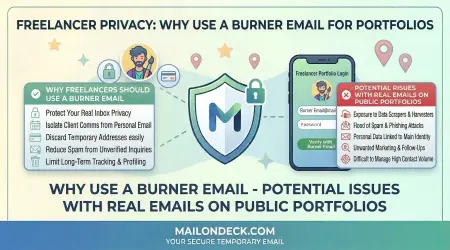
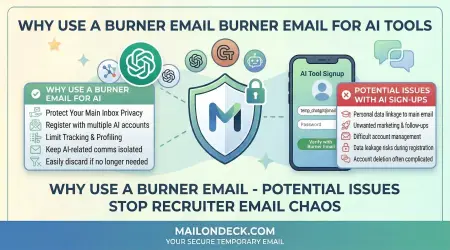
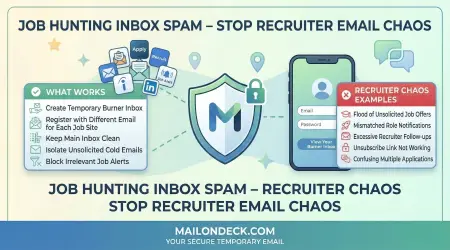
Use temporary email strategically. Services like Mail On Deck provide disposable addresses for situations where you need email but do not need ongoing privacy exposure. Keep your real email out of databases where it does not need to be.

Choose privacy-respecting email providers. Research providers before committing. Look for those with clear privacy policies, strong security practices, and business models that do not depend on scanning your messages for advertising.

Enable two-factor authentication. This protects your account even if your password is compromised. Use authentication apps or hardware keys rather than SMS when possible, as SMS can be intercepted.

Use strong, unique passwords. Never reuse your email password anywhere else. Consider using a password manager to generate and store complex passwords you could not remember otherwise.

Review and revoke third-party app access. Periodically check which apps and services have access to your email account. Remove access for anything you no longer use or do not recognize.

Disable automatic image loading. This prevents tracking pixels from reporting when you open messages. Most email clients allow disabling images by default, requiring manual action to display them.

Use email aliases when available. Some providers allow creating alias addresses that all deliver to the same inbox. Use different aliases for different purposes to identify the source of spam and leaks.

Read privacy policies for important services. While you cannot read every privacy policy, review them for services where you have significant privacy expectations. Look for concerning language about data sharing or surveillance.

Minimize unnecessary email. Unsubscribe from mailing lists you do not read. Close accounts you do not use. The less email traffic you have, the less data exists about your communications.

Encrypt sensitive communications. For truly private messages, use end-to-end encryption. This might mean using specialized encrypted email services or secure messaging apps for sensitive topics.

Be cautious about clicking links in email. Hover over links to see actual URLs before clicking. Be suspicious of unexpected messages even if they appear to come from known contacts.

Regularly update your email client and operating system. Security patches address vulnerabilities that could be exploited to access your email. Keeping software current closes these holes.

Use different email addresses for different purposes. Maintain separate addresses for important accounts, shopping, newsletters, and casual signups. This segmentation limits damage if one address is compromised.

Review your sent folder periodically. Check for messages you do not remember sending. Unauthorized sent messages might indicate account compromise.

Enable available privacy features. Email providers and clients offer various privacy options. Review settings and enable features that protect your privacy without breaking functionality you need.

These steps require some initial effort to implement but then provide ongoing protection with minimal additional maintenance. The investment in privacy pays dividends through reduced exposure to surveillance, tracking, and security threats.


Privacy Tools and Technologies Available Today

Various tools and technologies can enhance email privacy beyond what providers offer by default.

Encrypted email services like ProtonMail or Tutanota provide end-to-end encryption where even the provider cannot read your messages. These work best when both sender and recipient use the same service.

Browser extensions can block tracking pixels, prevent link tracking, and provide other privacy enhancements. Extensions exist specifically for improving email privacy in webmail interfaces.

Virtual private networks (VPNs) hide your IP address from email providers and websites, making location tracking harder. This is most useful when accessing email on public WiFi or in locations where you want to mask your physical presence.

Email encryption plugins like PGP/GPG enable encrypting messages when using traditional email providers. These require more technical knowledge and cooperation from recipients but provide strong encryption.

Temporary email services like Mail On Deck offer disposable addresses for situations where you do not want to expose your real email. These are essential tools in modern privacy strategies.

Password managers secure your email credentials and enable using strong unique passwords. Many include features like breach monitoring and secure password sharing.

Privacy-focused browsers offer better protection against cross-site tracking that uses your email as an identifier. Browsers like Brave or Firefox with privacy extensions provide stronger protections than default configurations.

Mobile email apps with enhanced privacy features provide alternatives to default mail apps that might share more data with the operating system or app developers.

Metadata scrubbing tools can remove identifying information from files before you email them as attachments. This prevents metadata in documents or photos from revealing information you did not intend to share.

Secure messaging alternatives for sensitive communications avoid email entirely. Apps like Signal provide end-to-end encryption and disappearing messages for communications where email privacy is insufficient.

Email analysis tools help you understand what data your email contains. Tools that analyze your email archive can reveal patterns you did not realize existed, helping you make more informed decisions.

Anti-tracking services block various forms of email surveillance. Services that strip tracking elements from messages before delivering them to your inbox prevent senders from monitoring your behavior.

The appropriate tools depend on your specific privacy needs and technical comfort level. Start with simpler steps like temporary email for casual signups, then add more sophisticated tools as needed for higher privacy requirements.


Making Informed Choices About Email Use

Email privacy ultimately depends on the choices you make about when, where, and how to use email.

Question necessity. Each time you are asked for an email address, ask whether providing it is actually necessary. Many requests are optional even when they seem required. Sometimes you can decline or use alternatives.

Evaluate tradeoffs consciously. Most email privacy decisions involve tradeoffs between convenience and privacy. Make these tradeoffs consciously rather than defaulting to convenience without considering privacy costs.

Understand what you are agreeing to. When signing up for services, at least skim the privacy policy. Look for concerning practices like data sharing, behavioral tracking, or indefinite retention.

Communicate expectations clearly. If you want certain communications to remain private, consider whether email is the appropriate channel. For truly sensitive topics, alternatives might be better.

Regular privacy audits. Periodically review which services have your email, which providers you use, what privacy settings you have enabled, and whether your practices align with your privacy values.

Educate others you communicate with. Your email privacy depends partly on recipients' practices. Sharing information about privacy-protecting behaviors might encourage others to adopt them too.

Stay informed about privacy developments. Email privacy landscape changes as technology, regulations, and business practices evolve. Following privacy news helps you adapt your practices to new threats and opportunities.

Accept imperfect solutions. Perfect email privacy is impossible for most people given modern life requirements. Focus on meaningful improvements rather than letting perfect be the enemy of good.

Adjust as your situation changes. Privacy needs and risks change over time. What made sense when you started using email might need revision as your circumstances, the threat landscape, or available tools change.

The meta-skill is developing judgment about email privacy. Rather than following rigid rules, cultivate the ability to assess situations and make appropriate choices based on context, risk, and your values.


Conclusion

Email privacy in 2026 exists in a complex landscape shaped by technology, business practices, regulation, and user behavior. Your email address is far more than a simple communication tool. It is a tracking identifier, a data point in countless databases, a target for criminals, and a key to your digital identity.

Perfect privacy is unrealistic for most people. Modern life requires email for too many essential functions to withdraw from email entirely or to maintain perfect privacy in all email use. The practical goal is informed management of privacy tradeoffs rather than absolute protection.

Understanding what happens to your email empowers better decisions. When you know that marketing emails contain tracking pixels, you can choose to block images. When you understand that your email address gets sold between data brokers, you can be more selective about where you provide it. Knowledge enables action.

Strategic use of temporary email represents one of the most accessible privacy protections available. Services like Mail On Deck make it effortless to keep your real email out of situations where it does not need to be exposed. This single practice, adopted consistently, dramatically improves email privacy.

Legal protections provide baselines and recourse but cannot ensure privacy alone. Regulations like GDPR create important rights and obligations, but they do not prevent all privacy-invasive practices or protect everyone everywhere. Personal choices about email use matter as much as regulatory frameworks.

The email privacy landscape will continue evolving. New threats will emerge as technology advances. Regulations might strengthen or weaken depending on political developments. Privacy-enhancing technologies will improve but so will surveillance capabilities. Staying informed and adapting practices to changing conditions matters.

Your email privacy is ultimately your responsibility. Providers, regulators, and tools can help, but the choices you make about when and where to use your email determine your actual privacy level. Those choices start with each email address you provide, each message you send, and each service you trust with your communications.

Take control where you can. Use temporary email for casual interactions. Choose privacy-respecting providers for important accounts. Enable available privacy protections. Make conscious tradeoffs between convenience and privacy. Small consistent actions compound over time into meaningful privacy improvements.

Email will remain central to digital life for the foreseeable future. The question is not whether to use email but how to use it in ways that respect your privacy while still enabling participation in modern digital society. The answers lie in understanding, judgment, and deliberate choices applied consistently across your digital life.

Tags:
#email privacy # privacy protection # temp mail # Mail On Deck # digital privacy #email tracking # data collection # GDPR # privacy threats

Ready to Protect Your Privacy?

Get your free temporary email address in just one click. No registration required.

Get Free Email Now