The Complete Guide to Avoiding Spam in 2026

The Complete Guide to Avoiding Spam in 2026

The Complete Guide to Avoiding Spam in 2026

Introduction

Email spam is not new. It has plagued internet users for decades, evolving from obvious scams to sophisticated marketing campaigns that blur the line between legitimate communication and unwanted intrusion. Despite improvements in filtering technology and increased regulation, spam remains one of the most persistent problems in digital communication.

The statistics tell the story. Billions of spam messages circulate daily, accounting for roughly half of all email traffic globally. While most never reach your inbox thanks to filters and blocks, enough slip through to make spam a daily annoyance for most email users. The problem is not just volume—it is the time wasted sorting through unwanted messages, the risk of missing important emails buried in spam, and the security threats that often arrive disguised as legitimate communication.

What makes spam particularly frustrating in 2026 is how normalized email collection has become. Almost every online interaction now requires an email address. Websites demand it. Apps request it. Services insist on it. Each time you provide your email, you create another potential source of spam. The cumulative effect turns inboxes into battlegrounds where useful messages compete for attention with dozens of unwanted promotions.

But the situation is not hopeless. While you cannot eliminate spam entirely, you can reduce it dramatically through deliberate strategies and smart tools. This guide provides a comprehensive approach to fighting spam, from prevention techniques that stop it before it starts to management strategies for dealing with spam that slips through your defenses.

The goal is simple: reclaim your inbox. Turn it back into a useful communication tool rather than an endless stream of marketing messages and promotional offers you never asked for. It requires some initial effort and ongoing vigilance, but the payoff—a clean, manageable inbox—is worth it.


Understanding Modern Email Spam

Spam has come a long way from the obviously fraudulent messages of the early internet. Modern spam is more sophisticated, more personalized, and harder to distinguish from legitimate email. Understanding what you are dealing with helps you fight it effectively.

Today's spam falls into several categories, each with different characteristics and purposes. Marketing spam comes from companies promoting products or services. Some of this is from businesses you actually interacted with at some point, while others obtained your email through purchases, partnerships, or data breaches. Marketing spam is usually legal, even if unwanted, because it often includes technical compliance with regulations like requiring unsubscribe links.

Phishing spam attempts to trick you into revealing sensitive information or clicking malicious links. These messages often impersonate banks, delivery services, tech companies, or other trusted entities. They create urgency—your account will be locked, a package cannot be delivered, a payment has failed—to pressure you into acting quickly without thinking carefully.

Scam spam includes various fraud attempts. Romance scams, inheritance schemes, investment opportunities, work-from-home offers—all designed to separate you from your money or personal information. These often target vulnerable populations and can cause real financial harm.

Survey and research spam promises rewards or compensation for completing surveys or participating in studies. Most are data collection schemes designed to gather personal information for sale or marketing purposes rather than legitimate research.

Political spam increases during election cycles, promoting candidates, causes, or issues. Even if you agree with the politics, receiving multiple messages daily from campaigns you never signed up for qualifies as spam.

List rental spam occurs when one company rents or sells its email list to others. You might have signed up for one thing but start receiving messages from completely unrelated businesses that obtained your email through these arrangements.

Newsletter spam happens when companies add you to mailing lists without clear consent, often burying permission in terms of service you did not read. You get newsletters, updates, and announcements from companies you have minimal relationship with.

Modern spam is also more targeted than ever. Companies purchase demographic data, browsing history, and other information to personalize spam based on your interests and behavior. This makes the messages more relevant, which increases the chance you might engage, but it is still spam if you never requested it.

The technology behind spam has improved too. Automated systems can send millions of messages cheaply and quickly. Artificial intelligence helps craft more convincing subject lines and message content. Email verification tools help spammers confirm which addresses are active and worth targeting.

Understanding these different forms of spam is the first step in fighting them. Each type requires somewhat different prevention and handling strategies, though many core principles apply across categories.


How Spam Has Evolved in Recent Years

The spam landscape of 2026 differs significantly from even a few years ago. Tracking these changes helps you adapt your defenses to current threats rather than fighting yesterday's battles.

Perhaps the most significant evolution is in sophistication. Early spam was obviously spam—poor grammar, implausible claims, generic greetings. Modern spam often looks professional. It uses proper formatting, includes company logos, references current events, and sometimes even addresses you by name. Distinguishing spam from legitimate email requires more attention than it once did.

Personalization has become standard in spam. Messages reference your location, recent purchases, browsing history, or other personal details. This targeted approach increases effectiveness from the spammer's perspective but makes the messages feel more invasive from yours.

Mobile optimization represents another shift. As people check email primarily on phones, spammers have adapted their messages for mobile viewing. Shorter messages, mobile-friendly formatting, and tactics designed to work on smaller screens have become the norm.

Regulation has changed spam tactics without eliminating them. Laws like GDPR in Europe and various state laws in America have forced spammers to include unsubscribe mechanisms and disclosures. However, many simply ignore these requirements, operate from jurisdictions with lax enforcement, or comply minimally while still sending unwanted messages.

The line between spam and legitimate marketing has blurred considerably. Many messages technically comply with regulations—they include unsubscribe links, disclose the sender's identity, and came from legitimate businesses—but still feel like spam because you never meaningfully consented to receive them.

Spam has also become more persistent. Companies use multiple email addresses to send messages, making it harder to block them completely. They re-add you to lists even after you unsubscribe. They purchase updated email databases regularly, so blocking one source does not stop you from appearing on another.

Technical evasion has improved. Spammers use various techniques to bypass filters: disguising links, using images instead of text, sending from constantly rotating email addresses, and crafting subject lines specifically designed to avoid spam detection algorithms.

Social engineering in spam has become more sophisticated. Rather than obvious scams, modern phishing attempts use psychological manipulation, creating scenarios that feel plausible enough to bypass your skepticism. They reference real events, use convincing details, and craft narratives designed to trigger specific emotional responses.

Integration with other data sources has expanded spam capabilities. Email addresses get matched with social media profiles, purchase histories, browsing data, and public records. This comprehensive profiling enables unprecedented targeting and personalization in spam campaigns.

The ecosystem around spam has professionalized. What was once mostly individual scammers has evolved into organized operations with specialized roles, shared resources, and systematic approaches to evading detection and maximizing reach.

Understanding these trends helps explain why spam remains persistent despite improving filters and stronger regulations. The financial incentive drives continuous adaptation. As defenses improve, spam tactics evolve. The arms race continues.


Prevention: Stopping Spam Before It Starts

The most effective spam strategy is preventing your email address from reaching spammers in the first place. While perfect prevention is impossible, these practices dramatically reduce your exposure.

Guard Your Primary Email Carefully

Treat your main email address as valuable private information. Do not post it publicly on websites, social media profiles, or forums. Do not include it in online directories unless necessary. Every public appearance of your email creates opportunities for harvesting by spammers who use automated tools to scrape addresses from web pages.

Use Temporary Email for Casual Signups

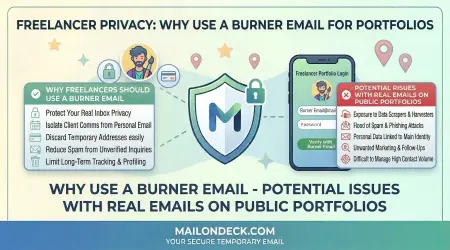
Services like Mail On Deck provide disposable email addresses perfect for situations where you need an email but do not want long-term contact. Downloading files, accessing one-time content, getting discount codes, or any casual online interaction works well with temporary email. This keeps your real address out of databases that might share or sell it.

Create Email Aliases for Different Purposes

Many email services allow you to create variations of your address that all deliver to the same inbox. You might use one variation for shopping, another for newsletters, and another for work-related signups. When spam starts arriving at a particular alias, you know which source leaked or sold your email.

Read Privacy Policies Before Signing Up

Before providing your email to any service, skim their privacy policy looking for language about email sharing, data selling, or partner marketing. Companies that plan to share your email often disclose this in the policy. If you see concerning language, reconsider whether you want to proceed.

Uncheck Pre-Selected Marketing Boxes

During signup processes, many websites pre-check boxes consenting to marketing emails, newsletters, or partner offers. Always look for these and uncheck anything you do not actively want. The default should be receiving only essential communications.

Be Selective About Which Services Get Your Real Email

Not everything deserves your real email address. Ask yourself if you genuinely need ongoing communication with this company. If the answer is no or uncertain, use a temporary alternative instead.

Avoid Email Harvesting Traps

Some websites exist primarily to collect email addresses. Free offers that seem too good to be true, contests with minimal information about the sponsor, or content behind email walls from unknown sources often indicate harvesting operations. Your email is worth more than whatever they are offering.

Use Different Emails for Different Risk Levels

Consider maintaining multiple email accounts for different purposes. One for important accounts like banking and healthcare. One for online shopping and less critical services. One for everything else. This compartmentalization limits damage when one email starts receiving excessive spam.

Disable Email Address Auto-Complete in Public Forms

When filling out forms on public or shared computers, make sure your email address is not being saved in auto-complete. Someone else using that computer could later access your email address.

Review Connected Apps and Services Regularly

Periodically audit which apps and services have access to your email. Remove permissions from services you no longer use. This prevents old connections from becoming sources of spam as those services change ownership or policies.

Educate People Who Have Your Email

Friends and family might add you to group emails, forward chain messages, or share your email without thinking. A polite request to be excluded from certain types of mass emails can reduce spam from your social network.

These prevention strategies work because they attack the root cause: your email address reaching spammers in the first place. An address that is not in spam databases cannot receive spam from those sources. The effort invested in prevention pays dividends for years.


Protection Strategies for Your Primary Email

Even with careful prevention, your primary email will eventually reach some marketers and potential spammers. These strategies help protect it when prevention alone is not enough.

Enable Two-Factor Authentication

While not directly related to spam, two-factor authentication protects your email account from being compromised. Spammers sometimes hack email accounts to use them for sending spam to your contacts or to gather information for targeted phishing.

Use Strong, Unique Passwords

Never reuse your email password anywhere else. If another service gets breached and your password is exposed, that email account should not be compromised as well. Strong passwords reduce the risk of unauthorized access.

Monitor Your Email for Signs of Compromise

Watch for indicators that your email might be compromised: sent messages you did not write, password reset requests you did not initiate, notifications about logins from unfamiliar locations. Catching compromise early limits damage.

Limit Who Has Access to Your Address

Be mindful about which websites, apps, and services receive your primary email. Each additional recipient increases risk. Make conscious decisions rather than defaulting to providing your email everywhere.

Use Email Masking Features When Available

Some email services now offer email masking or relay features that generate unique addresses for each signup, all forwarding to your real inbox. This provides privacy benefits while maintaining functionality.

Keep Your Email Provider Updated

Use a modern, actively maintained email service with strong spam filtering and security features. Free email from major providers like Gmail, Outlook, or others typically includes robust protection. Outdated or obscure email services might have weaker defenses.

Review and Adjust Spam Filter Settings

Most email services allow you to customize spam filtering sensitivity. If too much spam reaches your inbox, increase the filter strength. If legitimate emails are being caught, reduce it. Find the right balance for your situation.

Never Respond to Spam

Responding to spam—even to unsubscribe—confirms that your email address is active and monitored. For obvious spam, simply delete it or mark it as spam without engaging.

Be Careful With Email Forwarding

Forwarding emails can expose your address in email headers. When forwarding sensitive content or to public groups, consider whether you are comfortable with everyone seeing your email address.

Regularly Clear Old Accounts

Periodically identify online accounts you no longer use and delete them. This removes your email from databases that might later be breached, sold, or misused.

Use Email Search to Identify Patterns

Search your email for specific domains or senders to see the full scope of messages from particular sources. This can reveal spam patterns you had not noticed when seeing individual messages.

Consider Email Services With Built-In Protection

Some email providers offer enhanced privacy features like tracking protection, read receipt blocking, and automated spam categorization. These features add layers of protection beyond basic filtering.

Protection is an ongoing process rather than a one-time setup. Regular maintenance and adjustment keep your defenses current and effective against evolving spam tactics.


Using Temporary Email Addresses Strategically

Temporary email addresses represent one of the most effective tools in spam prevention, but using them strategically maximizes their benefit.

The fundamental principle is simple: use temporary email for any situation where you need an email address but do not need ongoing communication. This includes content downloads, one-time purchases, trial signups, accessing gated content, WiFi registration, forum participation, and countless other casual online interactions.

Mail On Deck makes this approach practical by removing all friction. There is no account to create, no setup process, and no management overhead. You visit the site, get an address, use it, and forget about it. The simplicity means using temporary email actually takes less effort than dealing with spam from your real address later.

Strategic use means matching the email type to the interaction type. For genuinely important services where you want ongoing communication—banks, healthcare providers, work systems—always use your real email. For everything else, default to temporary unless there is a specific reason not to.

Timing matters when using temporary email. Because Mail On Deck deletes emails after 24 hours, you need to complete any email-dependent actions during that window. This works fine for verification emails and immediate transactions but requires planning for longer processes.

For services you might want to keep, the strategy shifts slightly. Start with temporary email for the initial trial or evaluation. If you decide to continue, update to your real email before the temporary one expires. This gives you the freedom to test without spam consequences while preserving the option to establish a real relationship if the service proves valuable.

Documentation helps when using temporary email frequently. If you are managing multiple signups or might need to reference the temporary address later, keep a simple note of which service got which address. This matters only during the 24-hour active window but can prevent confusion.

Consider temporary email as your default rather than your exception. The mental shift from "I will use my real email unless there is a reason not to" to "I will use temporary email unless there is a reason not to" dramatically reduces spam exposure. Make the private choice the default and the public choice the exception.

Temporary email also provides psychological freedom. You can explore the internet more openly, trying services and downloading resources without the permanent commitment implied by giving out your real email. This freedom to experiment without consequences enriches your online experience.

The strategy extends beyond just spam prevention. Temporary email protects you from data breaches at companies you barely interact with, prevents tracking across different websites, and reduces your overall digital footprint. The privacy benefits compound over time.


Email Client and Filter Configuration

Modern email clients provide powerful filtering and organization tools. Proper configuration turns these capabilities into effective spam defenses.

Spam Filtering Settings

Most email services offer adjustable spam filter sensitivity. The default settings usually work well, but you can customize them. If spam regularly reaches your inbox, increase filter strictness. If legitimate emails frequently land in spam, reduce it.

Sender Whitelisting

Create a whitelist of known safe senders. Email from these addresses will never be marked as spam, preventing important messages from being filtered incorrectly. This is especially useful for businesses or individuals you correspond with regularly.

Blacklisting and Blocking

When you receive spam from specific addresses or domains, block them. While spammers often use rotating addresses, blocking still helps, especially for persistent senders. Some email clients allow blocking entire domains, which is more effective than blocking individual addresses.

Custom Filter Rules

Create rules that automatically sort incoming mail based on criteria you define. You might filter all messages from certain domains directly to trash, move newsletters to a specific folder, or tag messages containing certain keywords. These rules run automatically, keeping your inbox organized.

Report Spam Properly

Use your email client's "Report Spam" or "Mark as Spam" feature rather than just deleting spam. This helps train the filtering algorithms and contributes to shared databases that protect all users of that email service.

Folder Organization

Create folders for different types of email—newsletters, receipts, subscriptions—and set up rules to sort messages automatically. This keeps your primary inbox focused on personal communication and time-sensitive messages while still preserving access to other content.

Unsubscribe Tools

Many modern email clients now highlight unsubscribe links or provide one-click unsubscribe buttons for mailing list emails. Use these tools actively to remove yourself from lists you do not want.

Preview Safety Settings

Disable automatic image loading in emails. Spammers use invisible tracking pixels to confirm when you open messages. By blocking images until you manually load them, you prevent this tracking and reduce information leaked back to spammers.

Link Safety Features

Some email clients offer link protection that scans URLs before you click them, warning you about known malicious or suspicious sites. Enable these features for additional protection against phishing.

Mobile Configuration

Configure spam protection on your mobile devices as well. Mobile email apps sometimes have separate settings from their desktop counterparts. Ensure protection is active everywhere you check email.

Regular Maintenance

Periodically review your filter rules to ensure they still make sense. Modify or delete rules for services you no longer use. Add new rules based on emerging spam patterns you notice.

Archive Instead of Delete

Consider archiving old emails instead of deleting them, at least temporarily. This preserves information you might need later while keeping your inbox clean. Many email services offer unlimited storage, making archiving practical.

Proper configuration transforms your email client from a passive inbox into an active defense system. Initial setup takes time, but the ongoing benefit of a cleaner, more organized inbox is substantial.


Recognizing and Handling Phishing Attempts

Phishing represents the most dangerous form of spam because it can lead to identity theft, financial loss, and compromised accounts. Recognition is your primary defense.

Common Phishing Indicators

Phishing emails often create urgency: your account will be suspended, a package cannot be delivered, suspicious activity was detected. This pressure is designed to make you act before thinking carefully. Legitimate companies rarely threaten account suspension via email or demand immediate action.

Generic greetings suggest mass campaigns rather than personal communication. "Dear Customer" or "Account Holder" indicate the sender does not actually know who you are, despite claiming to be from a service you use.

Mismatched sender addresses are red flags. The email might claim to be from your bank, but the sending address is obviously not from the bank's domain. Hover over the sender name to see the actual email address, which often reveals the deception.

Suspicious links and attachments should be treated with extreme caution. Before clicking any link in an email, hover over it to see the actual URL. If it does not match the claimed destination or looks suspicious, do not click. Never download attachments from unexpected emails.

Requests for personal information are almost always phishing. Legitimate companies do not ask you to confirm passwords, social security numbers, account details, or other sensitive information via email. If such a request arrives, it is likely phishing.

Poor grammar and spelling used to be reliable phishing indicators, but modern phishing has improved. Still, professional companies typically have better quality control than phishers, so obvious errors remain warning signs.

Response Strategies

When you suspect phishing, never click links or download attachments. Do not reply, even to tell them you know it is a scam. Any interaction confirms your email is monitored.

If the phishing attempt impersonates a company you do business with, contact them directly using contact information you find independently—not information from the suspicious email. Ask if they actually sent the message. They will appreciate being alerted to phishing campaigns using their name.

Report phishing to your email provider using their reporting tools. This helps improve filters for everyone and might lead to action against the phishers.

Consider reporting serious phishing attempts to authorities. In the United States, the FTC and FBI accept phishing reports. While individual reports might not trigger immediate action, aggregate data helps law enforcement understand and combat phishing campaigns.

Delete phishing emails after reporting them. Keeping them serves no purpose and increases the risk you might accidentally click something later.

Education Reduces Risk

Stay informed about current phishing trends. Phishing tactics evolve constantly. Following security news or your email provider's security blog keeps you aware of new threats.

Share information about phishing attempts with friends and family, especially those who might be more vulnerable. Older relatives, in particular, often appreciate warnings about specific scams making the rounds.

The key to avoiding phishing is skepticism combined with verification. When an email creates urgency or asks for sensitive action, pause and verify through independent channels before proceeding.


Managing Existing Spam Problems

If your inbox already suffers from significant spam, these strategies help you regain control.

Start With Bulk Unsubscribing

Set aside time to systematically unsubscribe from unwanted mailing lists. Sort your email by sender and identify companies sending frequent messages you do not want. Visit their websites and find unsubscribe options, or use the unsubscribe links in the emails themselves.

Use Unsubscribe Management Tools

Services exist specifically to help you mass-unsubscribe from mailing lists. They scan your inbox, identify subscriptions, and let you unsubscribe from multiple lists at once. These can be helpful for severe spam problems but require giving the service access to your email.

Create Aggressive Filter Rules

Set up filters that automatically delete or archive email from domains that consistently send spam. This is more effective than blocking individual addresses when the same company sends from multiple addresses.

Consider Starting Fresh

If spam has become truly unmanageable, you might benefit from creating a new email address and transitioning important contacts and accounts to it. This is drastic but effective. Keep the old address active temporarily to catch important messages during the transition.

Segment Your Communication

Moving forward, use different email addresses for different purposes. One for important accounts, one for shopping, one for newsletters you actually want. This prevents spam in one area from contaminating everything else.

Dedicate Time to Email Hygiene

Schedule regular time—perhaps 30 minutes weekly—to maintain your inbox. Unsubscribe from new unwanted lists, update filters, and delete spam that slipped through. Regular maintenance prevents small problems from becoming overwhelming.

Be Patient With Unsubscribe Delays

Legitimate companies can take several days to process unsubscribe requests. Do not expect immediate results. If messages continue after two weeks, the sender might not be honoring unsubscribe requests, in which case you should block them.

Mark Spam Consistently

Train your email filter by consistently marking spam messages as spam. Over time, the filter learns your preferences and becomes more effective at catching similar messages automatically.

Review Subscriptions Periodically

Every few months, assess which subscriptions you actually read and value. Unsubscribe from anything you consistently ignore. Your interests change over time, and subscriptions that once seemed valuable might no longer be worth inbox space.

Recovery takes time. Spam accumulation happens gradually, and fixing it happens gradually too. Consistent effort over weeks and months yields significant improvement.


Building Long-Term Email Hygiene Habits

Maintaining a clean inbox requires ongoing habits rather than one-time fixes. These practices become easier with repetition until they feel natural.

The "Unsubscribe Immediately" Rule

When you receive an email from a list you do not want, unsubscribe right away rather than just deleting it. Those few extra seconds prevent future messages and gradually reduce overall spam.

The "Real Email" Test

Before providing your email anywhere, ask yourself: "Do I want ongoing communication with this company?" If the answer is unclear or negative, use a temporary email instead.

The Weekly Review

Spend a few minutes each week reviewing your inbox for patterns. Are certain types of spam increasing? Are new unwanted subscriptions appearing? Early identification allows quick correction before problems grow.

The Contact Audit

Once or twice yearly, review all the services and accounts connected to your email. Remove or update connections you no longer need. This periodic cleaning prevents accumulation.

The Sharing Conversation

When you notice someone has added you to email lists or forwarded chain messages without asking, have a polite conversation about your email preferences. Most people will respect your boundaries once you express them.

The Privacy First Mindset

Develop a default assumption that your email is private and valuable. This mindset shift makes you more selective about sharing it and more deliberate about where it goes.

The Documentation Practice

Keep simple notes about which services have your real email. This awareness helps you understand your exposure and makes it easier to manage if those services change their practices or experience breaches.

The Filter Improvement Habit

Each time spam reaches your inbox despite filters, take a moment to improve those filters. Block the sender, adjust rules, or mark it as spam. These small improvements compound over time.

The Account Closing Routine

When you stop using an online service, do not just abandon the account. Actually close it if possible, removing your email from their database. This prevents future messages and limits exposure if they are later breached.

The Education Investment

Stay informed about email privacy and security. Read occasional articles about spam trends, phishing techniques, or new protective tools. Knowledge makes you more effective at defending your inbox.

These habits work because they are sustainable. They do not require dramatic changes or significant time investment. Small, consistent actions integrated into your normal email use gradually create and maintain a clean inbox.


Tools and Services That Help Fight Spam

While good practices matter most, various tools can enhance your spam defenses.

Mail On Deck

For temporary email needs, Mail On Deck provides instant disposable addresses with no setup required. This is the foundational tool for keeping your real email out of spam databases.

Built-In Email Provider Tools

Major email services like Gmail, Outlook, and others include robust spam filtering, categorization, and organization features. Learn and use these built-in tools before looking to third-party options.

Browser Extensions for Email Privacy

Extensions exist that can reveal which companies have your email, help manage subscriptions, or provide enhanced privacy features. Research options compatible with your browser and email service.

Virtual Card Services

For signups requiring payment information, virtual cards let you create temporary card numbers that can be easily canceled. Combined with temporary email, this provides comprehensive privacy for trial signups.

Email Alias Services

Some services specialize in creating alias addresses that all forward to your real inbox. This provides a middle ground between full temporary email and exposing your real address.

Unsubscribe Management Services

Specialized tools scan your inbox for subscription emails and provide interfaces for mass unsubscribing. These can be helpful for cleaning up existing problems but require careful evaluation of their privacy practices.

Spam Reporting Tools

Some organizations and services aggregate spam reports to build databases of known spam sources. Contributing to these efforts helps protect the broader community.

Password Managers

While primarily for passwords, many password managers also securely store email addresses and can generate unique email aliases for different services.

Mobile Apps for Email Management

Dedicated email apps for phones sometimes offer better spam protection or organization features than default mail apps. Explore options if you primarily check email on mobile.

Training Resources

Websites and services that teach email security awareness can help you and others in your household better recognize and avoid spam and phishing.

The right combination of tools depends on your specific needs and technical comfort level. Start with built-in features from your email provider, add temporary email for casual signups, and incorporate additional tools as needed based on problems you actually encounter.


Conclusion

Email spam is a persistent problem, but it is not an insurmountable one. The strategies outlined in this guide—prevention, protection, strategic use of temporary email, proper configuration, and good habits—combine to create a comprehensive defense that dramatically reduces spam while maintaining the utility and convenience of email communication.

The fundamental shift is moving from reactive to proactive. Instead of constantly dealing with spam that has already arrived, you prevent it from arriving in the first place. Instead of sharing your email freely and dealing with consequences later, you guard it carefully and use alternatives when appropriate. Instead of accepting spam as inevitable, you actively fight it through tools and practices that work.

Services like Mail On Deck make this approach practical for everyday people, not just technical experts. The barrier to using temporary email is essentially zero, which means the barrier to protecting your privacy is also zero. The right choice becomes the easy choice.

Your inbox in 2026 can be clean, organized, and focused on communications that actually matter to you. It requires some initial effort to implement these strategies and build new habits, but the payoff—reclaiming your email from spam—is worth that investment.

Start today. Use temporary email for your next casual signup. Unsubscribe from three mailing lists you do not read. Configure one new filter rule. These small actions begin the process of transformation that, sustained over time, results in the spam-free inbox you deserve.

Tags:
#spam # email spam # spam prevention # temp mail # Mail On Deck #phishing # email privacy # inbox management # spam filter # disposable email

Ready to Protect Your Privacy?

Get your free temporary email address in just one click. No registration required.

Get Free Email Now