Free trials are one of the internet's great conveniences. They let you test software, streaming services, productivity tools, and countless other products before committing any money. The problem is that accepting a free trial usually means handing over your email address, and that email address quickly becomes a channel for relentless marketing.
The pattern is familiar. You sign up for a seven-day trial, genuinely interested in evaluating whether the service meets your needs. Within hours, the emails begin. Welcome messages. Tips for getting started. Suggestions for premium features. Then, as the trial period progresses, the messages become more urgent. Special offers. Limited-time discounts. Reminders that your trial is ending soon.
Even if you decide the service is not for you and cancel before being charged, the emails often continue. Monthly newsletters. Product updates. Invitations to try again with a special discount. Some companies make unsubscribing difficult, requiring you to log back into an account you no longer use or navigate through multiple settings pages.
This creates a dilemma. You want to try services without commitment, but you do not want your inbox cluttered with promotional emails for months afterward. You want to evaluate products fairly, but you do not want aggressive marketing influencing your decision. You want the convenience of free trials without the long-term consequences.
Temporary email addresses solve this problem elegantly. They let you access free trials, receive all necessary communication during the trial period, and then disappear completely, taking all future marketing messages with them. This guide will show you exactly how to use temp mail for free trials effectively.
Understanding why free trials generate so much email helps you appreciate why temporary email addresses are such a valuable solution.
Companies offer free trials for a simple reason: they work. Letting potential customers try before they buy dramatically increases conversion rates. People who experience a product firsthand are far more likely to become paying customers than those who only read marketing materials.
But from the company's perspective, not everyone who starts a trial will convert. Most people actually will not subscribe after the trial ends. This means companies feel pressure to maximize their chances of conversion during that limited window. Email becomes their primary tool for influencing your decision.
The emails serve multiple purposes. Some are genuinely helpful, teaching you how to use the service effectively. These are actually valuable during the trial period. But mixed in with useful onboarding messages are promotional pushes designed to convince you to upgrade before the trial ends.
Marketing teams have refined this process extensively. They know exactly when people are most likely to abandon a trial. They know which messages tend to convert skeptical users. They know how to create urgency without seeming pushy. The emails you receive are not random—they are part of carefully designed campaigns based on years of data and testing.
After your trial ends, the emails shift focus. Now they are trying to bring you back. Special offers for returning users. New features you might find interesting. Surveys asking why you left. Some companies will email you for years after a single trial signup, hoping that your circumstances or needs change.
There is also the issue of email list growth. Many companies see trial signups as a way to build their marketing list. Even if you do not convert to a paying customer, you still represent potential value. They might use your email for other promotions, share it with partner companies, or include you in broader marketing campaigns.
The aggressive email tactics create genuine problems beyond simple annoyance. If you are trying to evaluate multiple similar services, competing marketing messages can cloud your judgment. The product with the most persuasive emails might not actually be the best fit for your needs.
Managing trial emails also becomes a time sink. If you test several services per month, you could easily accumulate dozens of trial-related marketing messages weekly. Unsubscribing from each list individually takes time and attention you would rather spend elsewhere.
For people who test services professionally—reviewers, consultants, or anyone evaluating tools for their business—the email problem multiplies. Testing ten different project management tools means ten different companies with your email address, all convinced they can win you over with the right message at the right time.
When you provide your email to start a free trial, it triggers a series of automated processes designed to maximize the likelihood of conversion. Knowing what happens behind the scenes helps you understand why temporary email is such an effective countermeasure.
The moment you sign up, your email gets added to the company's customer relationship management system. You are immediately tagged as a trial user, which determines what kind of communication you will receive. Most companies have sophisticated email sequences specifically designed for trial users, separate from their regular customer communications.
Your trial typically triggers multiple email workflows simultaneously. There is the onboarding sequence, designed to help you get value from the product quickly. There is the conversion sequence, designed to persuade you to become a paying customer. There might be a re-engagement sequence if you stop using the product during the trial. All of these operate in parallel, each sending messages based on different triggers and timelines.
Many companies track how you interact with these emails. They know if you opened them, which links you clicked, and how much time you spent reading. This information feeds back into their system, influencing which subsequent messages you receive. Someone who opens every email might get more frequent communication. Someone who never opens emails might receive different messages designed to re-engage them.
The emails also serve a measurement function. Companies track conversion rates for different email sequences, testing various messages, sending times, and offers. Your responses become data points that help them refine their approach for future trial users.
Some companies use trial emails to qualify leads. The way you engage with their messages helps them assess how likely you are to convert. Highly engaged trial users might receive personal outreach from sales teams. Less engaged users might receive automated discount offers.
After your trial ends, your email does not disappear from their system. Instead, you get recategorized. You become a churned trial user, which triggers a different set of email workflows designed to win you back. These can continue indefinitely unless you explicitly unsubscribe.
Your trial email also becomes part of their broader marketing database. Even if they stop sending you trial-related messages, you might still receive company newsletters, product updates, or promotional campaigns. The boundaries between different types of email communication can blur, making it difficult to escape their marketing entirely.
Some companies share trial user emails with partners or related services. If they have multiple products, your trial for one might result in emails about others. If they have partnerships with complementary services, your email might be shared with those partners.
Understanding these processes illuminates why simply unsubscribing after a trial ends is often insufficient. You are not just removing yourself from one email list—you are trying to extract yourself from an entire ecosystem of automated marketing designed to keep you engaged.
Temporary email addresses are particularly well-suited for free trial situations because they address the core problem while preserving the benefits.
When you use a disposable email from a service like Mail On Deck for a trial signup, you get full functionality during the trial period. The verification emails arrive normally. Password reset links work if needed. You receive onboarding messages and any important notifications about your trial. Nothing about the trial experience itself is compromised.
The difference emerges after you have finished evaluating the service. If you used your real email, those marketing messages would continue hitting your inbox indefinitely. With a temporary email, they send those messages into the void. The email address no longer exists, so the messages simply fail to deliver. The company keeps sending them—they might not even realize the address is dead—but you never see them.
This approach is cleaner than unsubscribing. Unsubscribe requests can take days or weeks to process. Some companies require you to log in to manage preferences. Others have multiple separate lists you need to unsubscribe from individually. Temporary email bypasses all of this complexity. When the address expires, all future messages automatically stop reaching you.
Temporary email also prevents the secondary consequences of trial signups. Your address does not get added to marketing databases. It does not get shared with partner companies. It does not get sold to data brokers. The email address exists only long enough to serve its purpose, then disappears before any of the longer-term privacy issues can materialize.
For people who test many services, temporary email eliminates the administrative burden of managing trial communications. You do not need to maintain lists of which companies you need to unsubscribe from. You do not need to filter trial marketing into separate folders. You do not need to think about it at all after the trial period ends.
The temporary nature also provides a clean psychological break. When you finish evaluating a service and decide not to continue, you can truly move on. There are no reminders, no attempts to win you back, no lingering connection. The decision is made, and the matter is closed.
For services you decide to keep, the transition is straightforward. Before your trial ends, you can update your account with your real email address. This preserves your account and history while ensuring future communications reach you. Services that truly earn your business get access to your real inbox.
Temporary email respects the actual purpose of free trials. Trials exist to help you evaluate whether a product meets your needs. They should not be primarily about capturing your email for marketing purposes. By using temp mail, you refocus the trial on what it should be—a genuine evaluation period without strings attached.
Using temporary email for free trials is straightforward, but following a systematic approach ensures the smoothest experience.
Step One: Visit Mail On Deck
Before signing up for the trial, visit mailondeck.com. The service instantly generates a temporary email address for you. This address is already active and ready to receive messages. You do not need to create an account or provide any information.
Step Two: Copy the Temporary Address
Click the copy button to put the email address on your clipboard. Keep the Mail On Deck tab open in your browser—you will need to return to it shortly.
Step Three: Start the Free Trial
Go to the website offering the free trial and begin the signup process. When prompted for an email address, paste the temporary address you just copied from Mail On Deck. Complete the rest of the signup form normally.
Step Four: Check for Verification Email
Most services send a verification email immediately after signup. Return to your Mail On Deck tab. Within seconds or minutes, you should see the verification email appear. Open it and click whatever verification link or code is provided.
Step Five: Complete Account Setup
Follow through with any additional setup steps the service requires. These might include choosing a password, setting preferences, or entering payment information. Note that many free trials require payment details even though you will not be charged during the trial period.
Step Six: Use the Service Normally
Evaluate the service just as you would if you had used your real email. All necessary communications will reach your temporary address. You can access them anytime by returning to Mail On Deck and seeing your inbox.
Step Seven: Monitor Important Emails
During the trial period, check your temporary inbox occasionally for important messages. Some services send notifications about trial expiration, billing reminders, or account issues. Stay informed about anything affecting your trial.
Step Eight: Make Your Decision Before Expiration
Decide whether you want to keep the service before both the trial and your temporary email expire. If you want to continue, update your account email to your real address before the temp mail disappears. If you do not want to continue, simply cancel the trial through the service's cancellation process.
Step Nine: Let the Temporary Email Expire
After you have finished with the trial—whether you kept the service or canceled it—you can forget about the temporary email. After 24 hours, Mail On Deck automatically deletes the address and all messages. No further action is required on your part.
Step Ten: Repeat as Needed
Each time you want to try a new service, simply repeat this process with a fresh temporary email address. Mail On Deck generates a new address each time you visit, so you never need to reuse old addresses.
This process works for virtually any free trial that requires email verification. The entire sequence takes just a few minutes, and it completely eliminates the downstream email problems that normally accompany trial signups.
While temporary email works for most free trials, some situations are more suitable than others. Understanding which trials work best helps you use this approach effectively.
Streaming Services
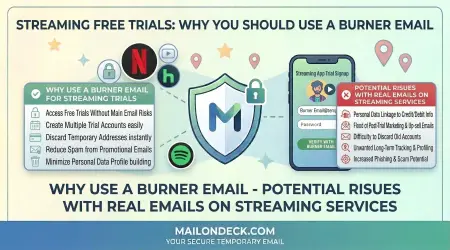
Trials for video streaming, music services, or podcast platforms work excellently with temporary email. You can evaluate the content library, test the interface, and assess streaming quality without any ongoing email required. If you like the service, you can update to your real email before the trial ends.
Software as a Service (SaaS) Tools
Productivity software, design tools, project management platforms, and similar services are ideal candidates. Most SaaS trials last long enough to properly evaluate the product while being shorter than the typical 24-hour window for temporary email retention.
Educational Platforms
Online course platforms, learning management systems, and educational services often offer trials. These work well with temp mail, especially if you are sampling courses to see if the platform fits your learning style.
Fitness and Wellness Apps
Workout apps, meditation platforms, nutrition trackers, and health services frequently offer trial periods. Temporary email works perfectly for testing these without committing to their marketing campaigns.
Business Tools
Email marketing services, customer relationship management systems, analytics platforms, and other business tools often have generous trial periods. Using temp mail lets you test them professionally without cluttering your business inbox.
Content Access
Trials for news sites, research databases, or premium content platforms work well with temporary email. You can access the content during the trial and decide if it is worth subscribing to permanently.
Less Suitable Trials
Some trials are less compatible with temporary email approaches. Financial services like investment platforms or banking apps should not be used with disposable email addresses—these require stable, permanent communication channels. Similarly, trials for services where you might want to preserve account history or data should use your real email from the start.
Long-trial services can also present challenges. If a trial lasts 30 days but your temp mail expires after 24 hours, you need to either update your email during the trial or accept that you will not receive later communications. In these cases, you must be proactive about either switching to your real email or canceling before losing access to trial-related messages.
Services that require ongoing communication throughout the trial—daily check-ins, progress reports, time-sensitive notifications—work better when you have consistent email access. While you can check your temporary inbox regularly, missing an important message becomes more likely than with your regular email.
The general rule is that temporary email works best for trials where you need email primarily for initial verification and account setup, with only occasional communication afterward. If the trial experience depends heavily on regular email interaction, you might reconsider whether temp mail is the right approach.
While using temporary email for free trials is generally smooth, occasional issues can arise. Knowing how to handle them prevents frustration.
Issue: Email Verification Delayed
Sometimes verification emails take longer than expected to arrive. If you do not see the email within a few minutes, wait a bit longer before assuming there is a problem. Most delays resolve within ten to fifteen minutes. Keep your Mail On Deck tab open so you can check when the message arrives.
Solution: If the verification email has not arrived after fifteen minutes, check if the service has a "resend verification email" option. Click it and wait again. The temporary address should receive the resent message without issues.
Issue: Service Rejects Temporary Email
Some companies maintain lists of known temporary email domains and block them during signup. They do this to prevent trial abuse or to ensure they can contact users long-term.
Solution: If a service rejects your temporary email, you have two choices. You can try the trial with your real email, accepting that you will need to unsubscribe later. Or you can decide the service's insistence on your real email is a red flag about their data practices and skip their trial entirely. There is no workaround that maintains privacy if they specifically block temp mail services.
Issue: Payment Information Required
Many trials require credit card or payment information even though they will not charge you during the trial period. This can feel uncomfortable when combined with a temporary email address.
Solution: The payment requirement is separate from the email question. If you trust the service enough to provide payment information, the trial is legitimate. The temporary email simply prevents marketing spam—it does not affect billing or account security. Just make sure to cancel before the trial ends if you do not want to be charged.
Issue: Temporary Email Expires During Trial
If your trial period extends beyond the 24-hour lifespan of your temporary email, you lose access to trial-related communications unless you take action.
Solution: If you want to maintain access to emails throughout a longer trial, update your account email to your real address within the first 24 hours. Alternatively, check your temporary inbox regularly during the first day, noting any important information before the address expires. For most trials, the critical communications happen during initial setup anyway.
Issue: Forgot to Update Email Before Trial Ended
You decided to keep the service, but your temporary email already expired, and the service does not have your real email address.
Solution: Contact the service's customer support explaining the situation. Most companies can update your email manually through support channels. You might need to verify your identity through payment information or other means, but this is usually straightforward.
Issue: Cannot Access Account After Trial
You used temporary email for a trial, canceled before being charged, but now want to access the account again months later.
Solution: Unfortunately, if your temporary email has expired and that was your only connection to the account, you likely cannot recover it. This is why important accounts should always use your real email. For trial evaluations where you might want future access, update to your real email before the temp mail expires.
Issue: Receiving Fewer Emails Than Expected
Some onboarding sequences assume you will engage with their emails. If you do not check your temporary inbox regularly, you might miss steps in their process.
Solution: If the trial experience depends on email engagement, check your Mail On Deck inbox every day or two during the trial. This ensures you see important messages while still avoiding the long-term email consequences.
Most issues are preventable with basic awareness. The key is understanding that temporary email has limitations and planning accordingly. For trials you take seriously, pay attention during the initial setup phase and make deliberate decisions about whether to switch to your real email.
People who regularly evaluate services—whether for work, personal use, or professional review—often juggle multiple free trials simultaneously. Temporary email makes this manageable, but some organization helps.
Strategy One: Track Active Trials
Keep a simple list of which services you are currently trialing, when each trial ends, and which temporary email you used (if you need to reference it again within the 24-hour window). This prevents confusion about which trial is which and ensures you do not forget to cancel services you do not want to keep.
Strategy Two: Stagger Trial Start Dates
Rather than starting five trials on the same day, space them out over several days or weeks. This makes evaluation more focused and prevents decision fatigue from comparing too many options simultaneously. It also reduces the complexity of managing multiple temporary email addresses.
Strategy Three: Evaluate Systematically
Develop a consistent approach for testing services. Identify what you are trying to accomplish, what features matter most, and what would make you choose one option over another. This structured evaluation process helps you make better decisions and avoid being swayed by whichever service has the most persuasive marketing.
Strategy Four: Document Your Findings
Take notes during trials about what you like, what you do not, and how each service compares to alternatives. When you are using temporary email, you lose access to the onboarding messages that might help refresh your memory later. Your own notes become more valuable.
Strategy Five: Set Reminders for Trial Expiration
Use calendar reminders or task management tools to alert you a day or two before each trial ends. This gives you time to make a final decision and either cancel the trial or update your email address before the temp mail expires.
Strategy Six: Generate Fresh Addresses for Each Trial
Do not try to reuse the same temporary email for multiple trials. Each trial should get its own fresh disposable address from Mail On Deck. This prevents mixing up communications and ensures each trial has a clean start.
Strategy Seven: Take Action Quickly
When you finish evaluating a service, make your decision immediately rather than letting the trial expire by default. If you want to keep it, update your email address right away. If you want to cancel, do it promptly. This prevents situations where you lose access or get charged unintentionally.
Strategy Eight: Respect Trial Terms
Using temporary email should not be a tool for gaming trial systems or signing up for the same trial repeatedly with different addresses. Evaluate the service genuinely during the trial period, then make an honest decision about whether to become a paying customer.
These strategies help you extract maximum value from free trials while maintaining organization and avoiding problems. The goal is thoughtful evaluation, not trial hoarding or system manipulation.
Deciding to keep a service after a successful trial requires updating from your temporary email to your real one. The process varies slightly depending on the service, but the general approach is consistent.
Most services have an account settings or profile section where you can change your email address. Access this before your temporary email expires—ideally within the first 24 hours of the trial, just to be safe. Navigate to settings, find the email change option, enter your real email address, and save the changes.
The service will likely send a verification email to your new address. Check your real inbox for this message and click the verification link. This confirms you control the new email and completes the change. Your account is now associated with your permanent email address.
Some services require extra verification when changing email addresses, especially if payment information is attached to the account. You might need to enter your password again, verify through two-factor authentication, or confirm details about your payment method. These security measures are actually good signs—they indicate the company takes account security seriously.
If your temporary email has already expired before you decide to keep the service, you will need to work through customer support. Contact them explaining that you need to update your account email. Be prepared to verify your identity through payment information, account details, or other means. Most support teams handle this situation regularly and have straightforward processes for it.
For subscription services, verify that updating your email does not affect your billing or subscription status. The change should be purely administrative, but confirming prevents surprises when your payment date arrives.
After successfully updating to your real email, you might want to review the service's communication preferences. Now that they have your permanent email, decide which types of messages you want to receive. Many services offer granular control over newsletters, product updates, promotional offers, and other communication types. Customize these settings to match your preferences.
Document the email change for your own records. If you manage multiple subscriptions, knowing which services have your real email helps you understand your overall exposure and makes it easier to manage your digital footprint.
Remember that updating to your real email means accepting the email consequences you initially avoided with temporary email. You will now receive all the marketing, updates, and promotional messages that come with being a customer. This is the tradeoff for using services you value—just be conscious about making it.
Using temporary email for free trials raises questions about terms of service, proper use, and ethical boundaries. Understanding these considerations helps you use the approach responsibly.
From a legal standpoint, using temporary email for free trials typically does not violate any laws. You are providing a working email address that receives messages during the trial period. The fact that it is temporary rather than permanent does not inherently constitute fraud or misrepresentation.
However, some services include terms of service that prohibit certain uses of their trials. Common restrictions include signing up for multiple trials with different email addresses, using automated systems to create trials, or providing false information during signup. Using a temporary email for a legitimate, one-time trial evaluation generally does not violate these terms, but deliberately circumventing trial limitations would.
The ethical question centers on intent. Using temporary email to fairly evaluate a service before deciding whether to pay for it is reasonable. The company offers a trial to help potential customers make informed decisions, and you are using that trial for its intended purpose. The fact that you avoid their marketing emails afterward does not undermine the core transaction.
Abusing trial systems is different. Creating multiple accounts to extend free trial periods indefinitely, signing up for trials you have no intention of seriously evaluating, or using trials as a permanent free alternative to paid services all cross ethical lines. These behaviors exploit the trial system in ways that harm the company's legitimate business model.
Consider also whether using temporary email might create problems for customer support. If you have issues during the trial and need help, the support team may need to communicate with you via email. Having a non-responsive email address could complicate getting assistance. For trials where you anticipate needing support, having a working email contact becomes more important.
Some services explicitly state in their terms that they require a permanent email address or prohibit temporary email services. While enforcement of such terms is difficult, violating them could theoretically give the company grounds to terminate your account. In practice, this rarely happens for trial accounts, but awareness of the terms helps you make informed decisions.
The broader ethical framework should be reciprocity and honesty. Companies offer trials as a good-faith way to demonstrate value. In exchange, they hope some trial users convert to paying customers and that all users provide honest evaluation rather than just seeking free access. Using temporary email to facilitate genuine evaluation maintains this balance. Using it to exploit or deceive crosses into problematic territory.
When in doubt, ask yourself whether your use of temporary email serves legitimate evaluation purposes or attempts to circumvent reasonable business practices. The former is ethical and appropriate; the latter is not.
For people who frequently evaluate services or want to optimize their trial experience, these advanced strategies provide additional efficiency and protection.
Tip One: Maintain a Trial Calendar
Create a dedicated calendar specifically for tracking free trials. Include the trial name, start date, end date, and temporary email used. This centralized view prevents trials from falling through the cracks and helps you plan evaluation time effectively.
Tip Two: Use Standardized Evaluation Criteria
Develop a personal rubric for evaluating services in each category you test frequently. For project management tools, you might always test the same key features. For streaming services, you might have specific content you look for. Consistent criteria lead to better comparisons across different trials.
Tip Three: Screenshot Key Information
Before your temporary email expires, take screenshots of any important information from trial-related emails. Setup instructions, feature explanations, or special offers might be worth preserving even if you ultimately do not subscribe.
Tip Four: Test Edge Cases
Since trial periods are limited, maximize learning by testing unusual scenarios or edge cases you are curious about. You can afford to experiment during a trial in ways you might not with a paid account.
Tip Five: Combine with Virtual Cards
For services requiring payment information, consider using virtual card numbers that can be easily canceled. Paired with temporary email, this provides another layer of privacy and control. If you forget to cancel the trial, the virtual card prevents charges even if the service tries to bill you.
Tip Six: Use Browser Profiles
Create a dedicated browser profile for trial activities. This isolates trial-related cookies, saved passwords, and browsing history from your regular online activity. Combined with temporary email, it provides comprehensive separation between trial evaluations and your normal online presence.
Tip Seven: Document Performance Issues
If you encounter bugs, slowness, or other technical problems during a trial, document them with screenshots or notes. This information helps you make informed decisions and can be valuable if you later discuss the service with others or provide feedback to the company.
Tip Eight: Compare Competitors Simultaneously
When evaluating services in a category, start trials for multiple competitors around the same time. This allows direct comparison while the experience with each is fresh. Just be mindful of not overwhelming yourself with too many simultaneous trials.
Tip Nine: Look Beyond Features
Evaluate not just what features exist, but how well they work, how intuitive the interface is, and whether the service actually improves your productivity or enjoyment. Technical feature lists matter less than whether you would actually use the service in real life.
Tip Ten: Trust Your Initial Impressions
If a service feels wrong, confusing, or poorly designed within the first hour of your trial, that impression is valuable data. You do not need to use the entire trial period to know something is not a good fit. Make decisions confidently based on real experience rather than forcing yourself through trials that already feel like poor matches.
Free trials serve a valuable purpose in the digital economy. They let you test before committing, evaluate whether services meet your actual needs, and make informed purchasing decisions. The problem has never been trials themselves—it has been the email spam and marketing pressure that accompany them.
Temporary email addresses restore trials to their intended purpose. They remove the friction of worrying about long-term email consequences while preserving all the benefits of the trial period. You get full access to the service, receive all necessary communications, and can fairly evaluate whether the product works for you. When the trial ends, so does the email relationship, unless you deliberately choose to continue it.
This approach respects both parties in the transaction. Companies get genuine trial users who are actually evaluating their products. Users get to test services without sacrificing their inbox privacy or being pressured by aggressive marketing. It is a cleaner, more honest version of how trials should work.
The strategies outlined in this guide work because they are practical and straightforward. Using Mail On Deck to generate temporary email addresses requires no technical expertise, no account setup, and no ongoing management. It simply works, every time, for any trial that accepts email verification.
As someone evaluating services in 2026, you have more options than ever before. That variety is wonderful, but it makes trials even more important for cutting through marketing claims and finding what actually works. Temporary email ensures the evaluation process stays focused on the product itself rather than getting derailed by spam and promotional messages.
The next time you want to try a new service, use this approach. Visit Mail On Deck, generate a temporary email, sign up for the trial, and evaluate the service purely on its merits. When you finish, walk away knowing your inbox will not pay the price for your curiosity. That freedom to explore without consequences is exactly what trials should provide.